

The Google Mobile-First update is coming fast! Watch a video and/or read everything you need to know about the update below.
Google is moving towards a mobile-first index.
Webmasters who don’t prepare their sites accordingly will soon discover that they’ll lose market share to competitors.
Google Mobile-First Update (Watch A Video With John Lincoln)
If you’re unfamiliar with mobile-first indexing, it means that Google now crawls websites with a mobile agent. That means that the Googlebot effectively “looks” at sites through the eyes of a web browser running on an iPhone or Android device.
Websites that aren’t user-friendly to a mobile audience also won’t be user-friendly to the Googlebot. That means those sites will suffer in rank while more mobile-friendly sites move up.
If you haven’t yet given your site a “once over” to make sure that it’s ready for mobile-first indexing, here’s what you need to do.
Quick Notes on Mobile First Update
For those looking to skim, I wanted to give you some quick notes on how to prepare for the mobile first update.
- Have fast page speed
- Make all your pages have a mobile equivalent
- Make sure all your pages pass the Google mobile testing tool
- Try to go responsive design
- If you are using a mobile subdomain or vary http header, watch for technical changes daily
- Review the Google mobile usability report in search console for errors
- Focus on mobile CRO and user experience
- More below…
-
Start With a Responsive Design (There Are Other Mobile Options Too)
Before you even begin looking at anything else, consider the overall design of your website.
Is it responsive?
That is, does it automatically “respond” to any screen size by adjusting the placement and layout of the elements so that users can easily navigate around, click links, and read your content?
If your site looks great on a desktop platform but users have to horizontally scroll to find clickable elements on a mobile device, then it’s not mobile-friendly. Similarly, if users have to pinch and widen the page just to read the content, that’s user-hostile as well.
Fortunately, those kinds of problems can be remedied with a responsive design. Even better, responsive designs are easy to find on any site that sells WordPress themes or HTML templates.
Pro-tip: Before purchasing a theme or template, ask the developer if the JavaScript/CSS on the site is at the bottom so it doesn’t block the rendering of the page. If the developer doesn’t know what you’re talking about, move on to a different developer.
Now keep in mind, it does not have to be responsive. There are two other ways to optimize a website for mobile.
But, responsive is generally the best option. Most sites are migrating to responsive now.
If you are using a mobile subdomain or Vary http header. The technical optimization requirements could change with the mobile first index. So keep an eye on our blog for those updates.
-
AMPlify Your Site
You don’t technically need to use Accelerated Mobile Pages (AMP) to rank well with the mobile-first index. However, Google loves AMP and it makes your site that much more mobile-friendly so you should do it anyway.
Fortunately, AMP is easy to implement if you’re using WordPress (and other CMSs). Just download the AMP plugin and install it. Also, be sure to grab the Glue plugin if you’re using Yoast for SEO (both of which are recommended, by the way).
If you’re not using WordPress on your site, contact your development team about getting your site up to speed with AMP.
-
Test Your Site With PageSpeed Insights
The reason that Google loves AMP is because it loads pages very quickly on a mobile device. Fast page loads create a better user experience.
That’s why you should head over to Google’s PageSpeed Insights tool and plug in your home page URL for a quick test. Google will rank your site on a score from 0-100 with 100 being perfect.
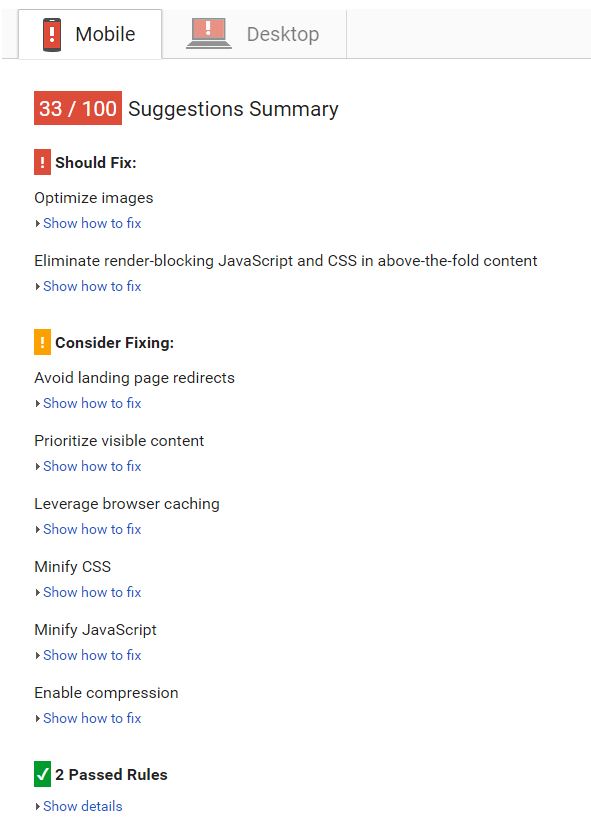
Note: the default score that the tool gives you is the mobile score. You can click on the “Desktop” tab to see your desktop score.
If your site doesn’t receive a very good score, Google will tell you exactly what’s wrong with it. Don’t be surprised if one of the problems listed is the aforementioned “render-blocking JavaScript and CSS.” That’s why you want to make sure ahead of time that your design doesn’t have that problem.
A couple of other common problems that PageSpeed Insights uncovers is unoptimized images and JavaScript that hasn’t been minified.
Google will tell you how to fix those problems as well as any other problems that you’re experiencing. Follow that advice to improve your AMP score.
Usually, you want mobile page speed of 70 or higher. Also, always start by optimizing the images on the page. I’ve seen that is often the largest issue (for small websites) and easiest to fix.
-
Test Your Site With Google’s Mobile-Friendly Test Tool
There’s a difference between testing your site for speed and testing it for mobile-friendliness. Although all mobile-friendly sites load quickly, not all sites that load quickly are mobile-friendly.
Why? Because the layout of the site, even if it loads in a jiffy, can still give mobile users some level of grief.
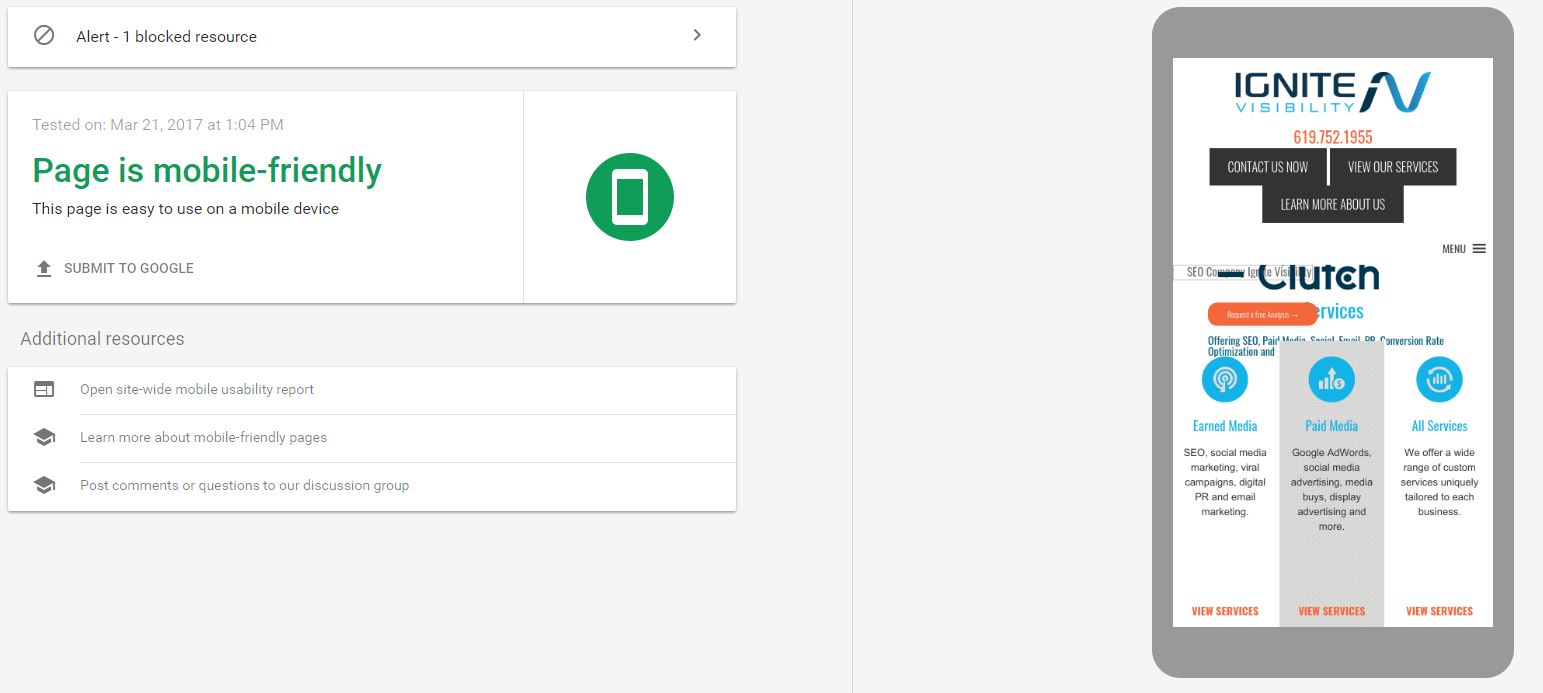
That’s why you should head over to the Mobile-Friendly Test tool and let Google tell you whether or not your site is mobile-friendly.
Hopefully, after your test is complete, you’ll see a message in big, fat green lettering that reads: “Page is mobile-friendly.” If you don’t see that message, Google will tell you what’s wrong with your site and, better yet, how to fix it.
-
Visit the Google Search Console
You’ll find that one of the best friends you have as you optimize your site for a mobile audience is the Google Search Console.
That’s because it will tell you if any of the pages on your site aren’t mobile-friendly.
Be sure to check the Search Console on a regular basis. Pay attention to the messages in your inbox. You might find that Google has uncovered a nasty problem that keeps your site from looking great on a mobile platform.
Also, crawl your site as a mobile agent from within the Search Console. Just select “Crawl” on the left-hand sidebar and click on “Fetch as Google” from the menu that appears. Be sure to select “Mobile: Smartphone” from the drop-down menu before you click the “Fetch and Render” button.
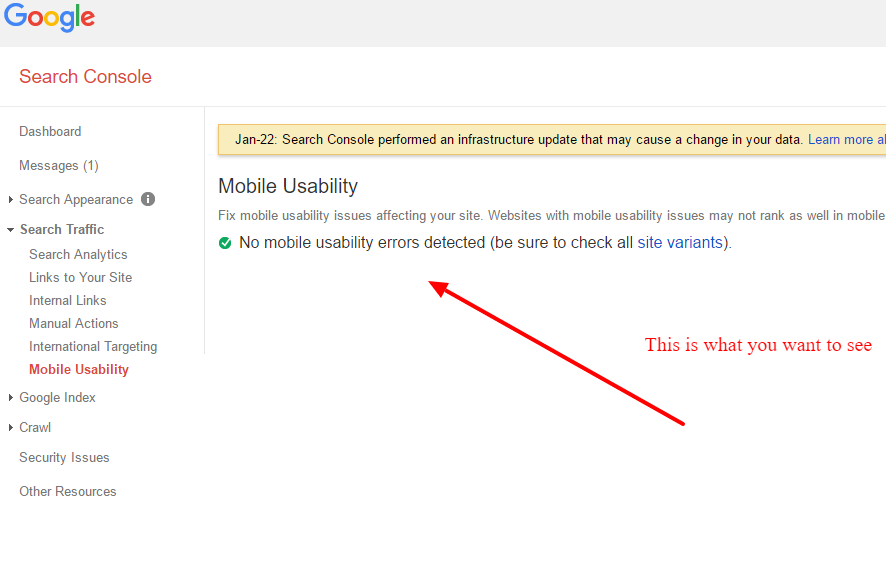
Also, Google offers the mobile usability report in search console.
 Good Luck With the Google Mobile-First Update
 Good Luck With the Google Mobile-First Update
These are just a few of the things to keep in mind.
There is a lot to know about mobile. It is really more than SEO, it also bleeds over into conversion rate optimization, UX and branding.
With that being the case, these tips for the Google mobile-first update are an excellent place to start.
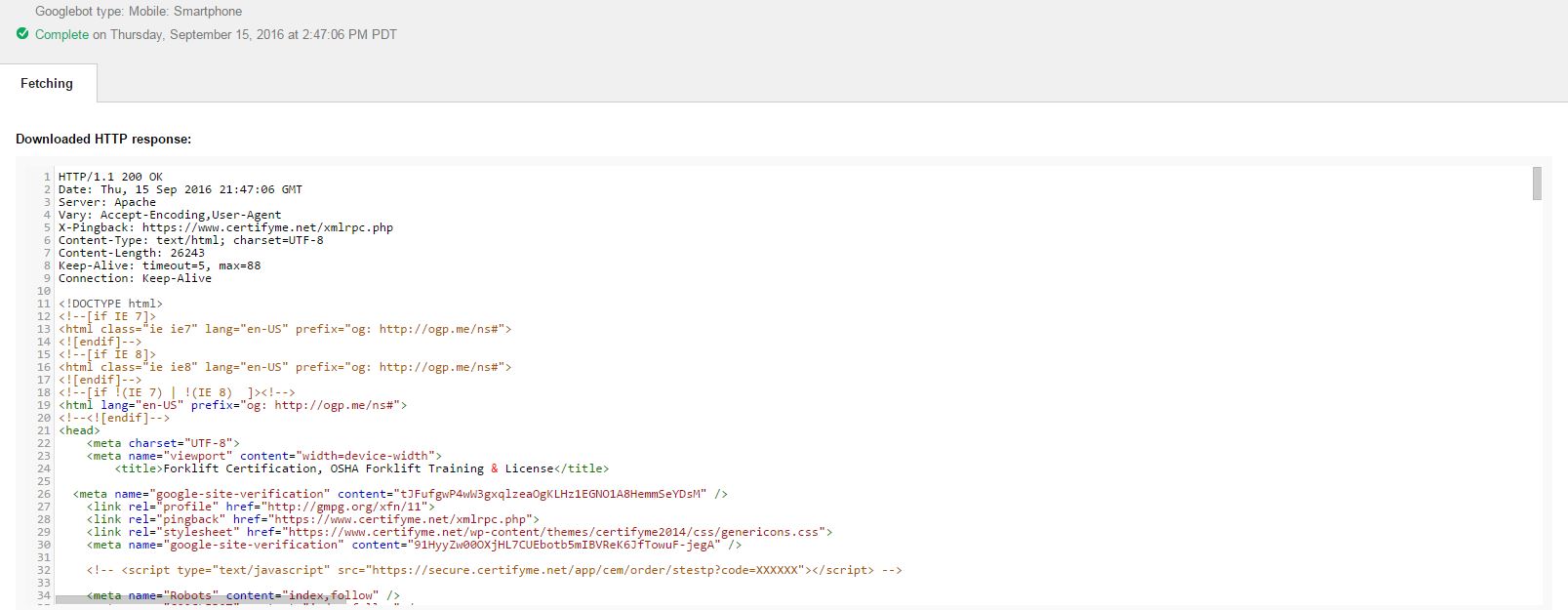
Once Google has fetched and rendered your site, take a look at it. Make sure that Google “sees” your site exactly as you want it to be seen.
