

Experimented with Facebook Instant Experience ads?
Whether you have or not, you’ll want to give this guide a read.
In it, I’ll cover what the updated ad format is and which businesses should be using it.
What Are Facebook Instant Experience ads?
Facebook Instant Experiences are full-screen ad experiences.
If they sound familiar, that’s because they probably are.
Up until earlier this year, these were called Facebook Canvas ads. And while many of the functions remain the same, Instant Experiences improve upon the original in a few significant ways.
We’ll get to all that, but first, let’s focus on what you can expect from an Instant Experience ad.
Facebook has this to say about them:
“Facebook Instant Experiences, formally known as Canvas, load instantly, they’re mobile-optimized and they’re designed to capture the complete attention of your audience. Within an Instant Experience, people can watch engaging videos and photos, swipe through carousels, tilt to pan, and explore lifestyle images with tagged products—all in a single ad.”
The core of what the ad type aims to accomplish is right in the name. Rather than serve users a stagnant, sidebar ad, this format draws users into a full-on, immersive experience.
The goal? To help bring brands and products to life for users.
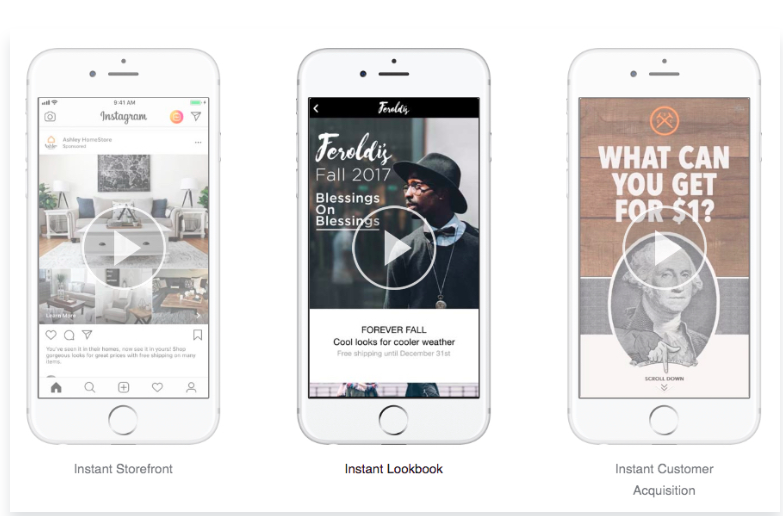
They’re designed specifically with mobile in mind, with a full-screen, vertical format that allows users to engage with the ad as they would a Facebook or Instagram Story.
And in this day and age, a mobile-first format is crucial, especially when it comes to Facebook. Statista reports that as of January 2018, 91.5% of active user accounts accessed the network via smartphone.
But these aren’t your average mobile ad. These combine images, GIFs, videos, carousels, products, etc. into one format. Hence the ability to use this rich media to create an entire experience for your users.
At first, the ad will appear like a regular photo ad, but when clicked will expand to full-screen form.
What’s Different About Facebook Instant Experience Ads?
Canvas ads were good.
But Instant Experience ads? Even better.
The new incarnation of Canvas comes with a few notable changes.
Among those is the addition of the Facebook Pixel, which is now automatically added to Instant Experiences for any brand for any brand that already uses the Pixel on their site.
If you’ve done any advertising on Facebook, you probably already know that the Pixel is how Facebook’s tracks users in order to serve them remarketing ads on the platform.
This is key to re-engaging past visitors, and the easy, automatic add to the Instant Experience means you have a no-action-required way to keep connected to anyone who clicks on your ads.
Facebook also added in more ways to track and analyze your campaigns.
Along with the Facebook Pixel, businesses can integrate third-party pixels into their Instant Experiences ads to track more detailed data on engagement and compare the performance of other campaigns.
The most noticeable change, however, will likely be the design updates.
Here are all the formats now available:
- Instant Storefront
This format is set up to mimic a lifestyle magazine.
It showcases photos in a grid formation, which allows people to browse multiple products all in one place.
Take a look at this example by Adidas.
In it, they include a video, followed by a collection of products user’s can scroll through. To see more, there’s a link included to the full website.
In that way, this format is ideally suited for retailers on e-commerce.

- Instant Storytelling
Instant Storytelling is video-focused, and ideal for a variety of industries.
For any brand that’s found success with video ads in the past – or any that have a story to tell, for that matter – could use this format to their advantage.
Remember, successful brand storytelling is all about establishing the core values of your brand, and bringing it to life in a way that resonates and connects with your target audience.
For some inspiration on how to do that, check out this post.

- Instant Lookbook
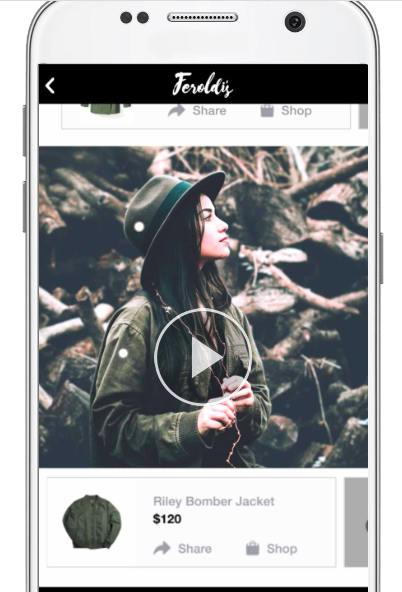
This format is image-focused, and lets users explore products through photos.
Similar to the Storefront format, Instant Lookbook lets advertisers showcase a variety of their products in one single ad.
Unlike Storefront, it does so one image at a time as user’s scroll, rather than in a grid formation.
This one is also best suited for fashion, retail, or e-commerce businesses.
- Instant Customer Acquisition
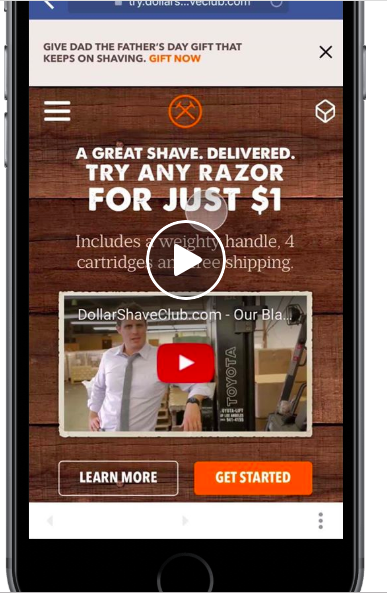
This one is slightly different in nature, in that it’s designed to do more than just show off a product or video.
Instead, the Customer Acquisition format presents your ad like a landing page, with the goal of encouraging a specific action.
This mini-landing page setup is set up around a clear CTA, whether it’s a download or a click-through to more information.
When clicked, users are taken to advertisers mobile site.
- Instant Form
Instant Forms are the newest format, released as part of the Instant Experience upgrade.
All of the formats above require a user to click-through to the mobile site after interacting with the ad. This extra step can prove to be a barrier for many advertisers, as users will often abandon the ad rather than having to leave their current experience for a new site.
Enter Facebook’s Instant Forms.
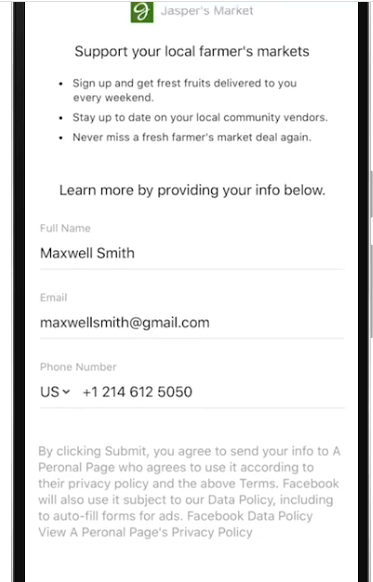
These ads allow users to submit their contact information right in the ad.
Essentially, the bring the function of Facebook Lead Ads to the Instant Experience format – which proves to be a pretty powerful combination.
Facebook Instant Experience Ad Objectives
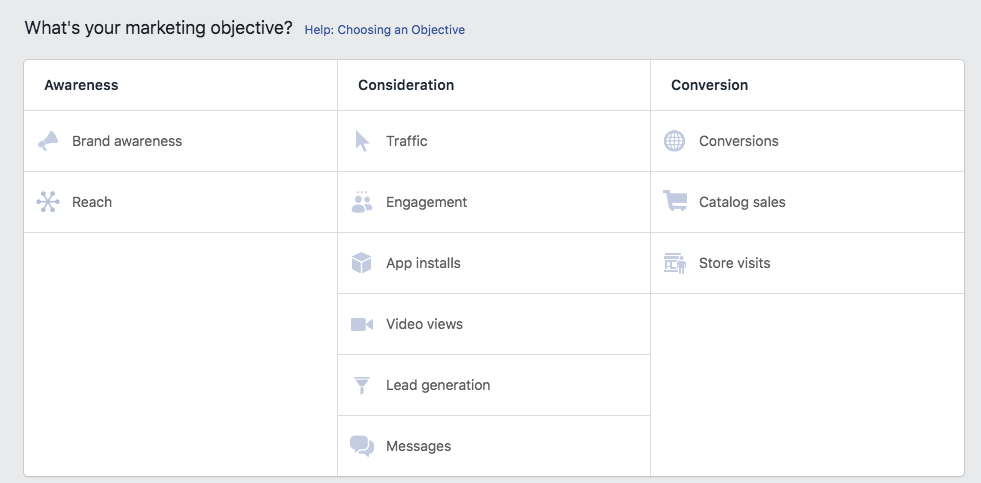
Another cool thing about the Instant Experiences is the number of campaign objectives available.
Now, virtually any objective can be paired with the format.
- Traffic – Sends people to website or landing page. Useful for brands promoting articles, landing pages, or apps
- Brand awareness – Shows ad to those most likely to be receptive to it in order to increase awareness. Useful for brands looking to get their ad in front of their target audience.
- Reach – Maximize the number of people that see your ad. Useful for advertisers with a small audience looking for more exposure
- Engagement – Promotes likes, shares, comments. Useful for those who want to increase engagement with followers.
- Conversions – Prompts users to take action. Useful for those promoting a download, sign-up, purchase, etc.
- Video views – Promotes a selected video. Useful for those looking for video engagement (though video ads can be used with other objectives).
- Store visits – Encourages users to view your store. Useful for brick-and-mortar stores.
- App installs – Sends traffic to the app store for an app download. Useful for brands promoting app downloads.
Setting Up Your Facebook Instant Experience Ad
On the surface, Instant Experiences ads seem a bit complicated.
After all, there are a lot of moving parts involved – images, videos, forms, carousels, and more of your choosing.
Good news is, setting up Instant Experiences Ads really isn’t all that different than creating any other Facebook ad.
You’ll start by logging into your Ads Manager clicking Create Ad.
Choose your campaign objective (any from the list above, depending on the overall goal of your campaign).
Next, you’ll be prompted to select your audience, placement, and budget. For all information on how to set up this portion of your ad, check out my full guide to Facebook Advertising.
As a side note, in the placements section, you’ll probably want to select Mobile since these ads are designed specifically for mobile devices.
On the next page, you’ll be asked to select your ad format. Underneath, you’ll see a box that says Add Instant Experience. Check it.

Directly underneath that will be an option to create a new template, with three sample templates listed. This is a good place to start for anyone new to the format; those with experience can alternatively choose to build a Custom Instant Experience.
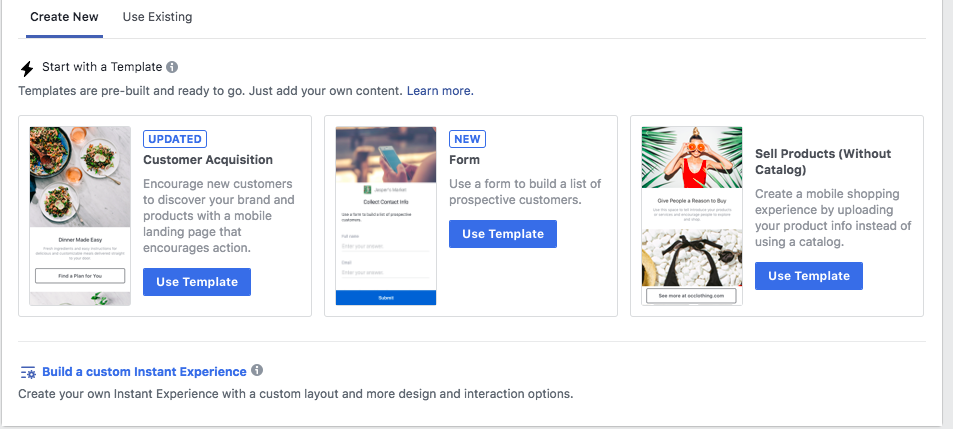
Assuming you’re going the pre-built template route, you’ll select the template you’d like to use and be prompted through to the next page.
This is where you’ll add your content. Depending on the format you’re using, you’ll upload any videos, images, text, CTAs, etc. you’d like to use in your ad.

Again, this will look different if you’re building your own template. You won’t have existing placeholders, but will rather be able to use Facebook’s drag-and-drop editor to create your own layout.
Once you’ve created your ad, select “Done” to save.
Who Should Use Instant Experience Ads?
At first glance, these ads to seem best suited for fashion, retail, and e-commerce industries.
And that’s certainly true. The highly visual format allows for in-depth product displays, and particular formats like Instant Lookbook and Instant Storefront lend themselves particularly well to those types of businesses.
B2C and retail success stories aren’t hard to find here. Take a look at Sephora.
The makeup retail giant used Instant Experiences to drive their holiday campaign, with the goal fo increasing sales online and in-store.
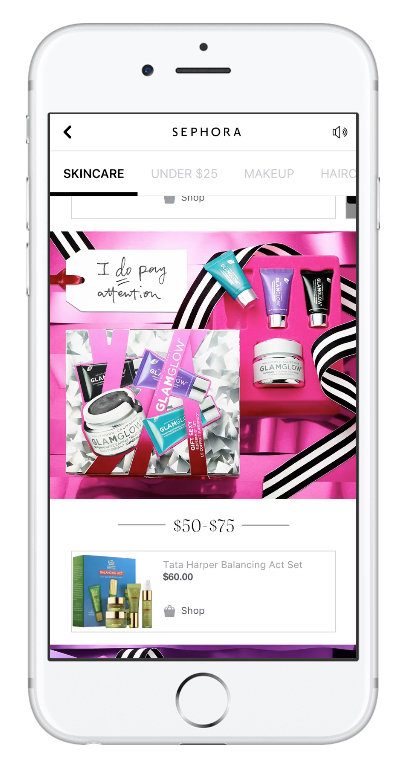
The results? Pretty impressive.
Sephora saw a 32% increase in returns on their initial ad investment when compared to previous campaigns. Not only that, but they saw a 41% increase in click-through rates compared to previous campaigns and a 30% increase in reach over their campaign goals.
But that said, it doesn’t mean Instant Experiences can’t be used for other types of businesses – even B2B.
In fact, startup technology company StoreHub used these ads to boost its conversion rate 3.3x.
StoreHub is a B2B that specializes in CRM (customer relationship management) software, and used the ads with the goal of increasing leads.
Instead of using product photos, StoreHub used the vertical format to showcase details about their CRM software, including system benefits, sales reports, and even customer testimonials.
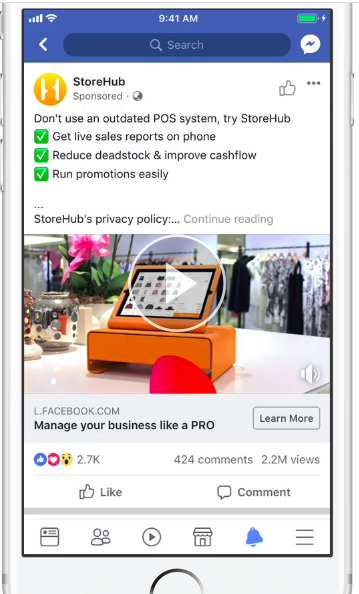
Not only did the company see a 3.3x increase in conversion rate, but 53% lower ad spend and 74% more efficiency in tracking leads.
This all goes to show that Instant Experience ads are more versatile than you think, especially given the addition of Instant Customer Acquisition and Instant Forms.
The key, as always, is finding a way to really engage your audience.
Facebook Instant Experience Best Practices
Speaking of engagement, there are a few things you’ll want to pay attention to when trying out this ad format.
- Choose your initial ad creative wisely. Before users can see the expanded version of your ad, they need to be intrigued enough by the smaller, newsfeed version. That means a quality photo that represents what your ad is about, and a strong headline (and as always, a solid handle on who your target audience is and what will resonate).
- Only use high-quality images and videos. This one may seem like a given, but in a full-screen, visual format like this, it’s increasingly important that you only include the best quality.
- Know the story you want to tell. Don’t upload a series of random photos; instead, go back to the core values of your business and what your product or service brings to your customers. Curate a collection of images or videos that highlights who you are as a brand.
- Design a clear path for your users. Use CTAs, buttons, and links throughout to tell users what action you want them to take.
- Don’t be afraid of the visual format. This one isn’t so much a best practice, but more of a general nudge. Images and videos are becoming the prevalent form of content, and it’s no longer just for B2C or e-commerce. All industries should be experimenting – and at the very least, brainstorming – with ways they can bring their brand to life visually.
Wrapping Up Facebook Instant Experience
Though Instant Experience ads aren’t exactly new, they are improved.
The full-screen format lends itself extremely well to storytelling, and brands in all industries can find success with these ads.
Remember, their success is dependent on the quality of your visuals and how they help tell your brand story.
But with the right pieces in place, Instant Experiences can be an extremely effective ways to engage users in a mobile format.
