


Are you looking for an easy way to increase your online visibility? Optimize your images! Not only will this make your website more accessible, but only 26% of websites include alt text on their images, which means there is less competition and more chances to stand out.
In this blog Monique De Leon, Associate Director of SEO, will talk more about the importance of image SEO and how you can use it to drive more traffic to your site.
What You’ll Learn
- What Is Image SEO & Why Does It Matter in 2026?
- User Intent for Image SEO
- How to Choose the Right Image File Formats for SEO
- Best Practices: How to Optimize Images for SEO
- How to Change Which Image Google Uses for Your Website
- Impact of Using External Images on SEO
- How to Optimize Images for Social Media
- Start Measuring the Success of Your Image SEO
- Common Mistakes When Optimizing
- FAQs on SEO Images
What is Image SEO & Why Does it Matter in 2026?
Image SEO is the practice of optimizing visual content, including file names, alt text, compression, structured data, and contextual relevance, so search engines can properly crawl, index, and rank your images. In 2026, it is a critical ranking factor that directly impacts user experience, click-through rates, and organic traffic.
Search engines crawl your images just as they do the content and code. They are looking for identifiers to understand what they are and how they correlate to content.
To ensure your images rank high, consider elements like file name, size, and positioning on the site.

What is Visual Search?
Visual search is one of the ways search engine users can search for content.
Users conduct visual searches by uploading an image into a platform like Google Lens, usually in an attempt to either find the image source or learn more about objects within the image.
Search engines then compare the image to others and use AI and machine learning to understand the image’s contents, enabling them to bring back relevant results.

Why Does Image Optimization Matter?
Images now drive significant traffic, especially through Google Lens, which is responsible for 12 billion searches a month.
Even taking Google Lens out of the equation, when images are optimized correctly, it can improve your visibility in the traditional SERP, as well as image carousels.
Every page of your website has images, and they aren’t just there to make things pretty. They can be images of products, screenshots of our software, or pictures of your employees. They are one more piece in the ranking puzzle that can yield great results.
Google shared new documentation on image SEO giving a new list of basic best practices any marketer can follow:
- Choose an image that’s relevant and representative of the content on the page.
- Avoid using a generic image or an image with text in the schema.org markup or og:image meta tag.
- Avoid using an image with an extreme aspect ratio. Avoid images that are too wide or too narrow.
- Stick to high resolution images.
- Cropped images should be positioned for landscape use and avoid using an automatic aspect ratio.
Here are some more reasons image SEO matters!
1. Rank Higher on Google Images
When Google indexes your image, it can appear in three different search environments, Google Images search, Google Web search, and Google Discover. Google Image searches now account for 22.6% of all searches. In rankings, Google considers authority, freshness, and context in addition to the image itself. Just be sure to compress your images so you don’t slow down your page load speed, as a slow page will negatively affect your SEO rather than help it.
2. Break Text Up For Better Readability
SEO for images also relates to the readability and scannability of pages. Inserting pictures and other formatting (headers, bulleted lists) delivers better engagement, keeping people on pages longer, which improves organic ranking.
3. Improve On-Page SEO
For every image you use on the page, it needs to correspond to your keyword. If it’s “medical billing software,” then you’d need to include images supporting this keyword and enter alt text relating to it. When Google crawls the page, it will be ranked higher for that specific term since you’ve optimized the image properly.
4. Ensure Images Display Correctly on Social Media
When you insert your content link on a social site, the image should pull automatically. Each website has its own recommended sizes and dimensions, so it can be tricky. Your post looks bare without an image and may not get much engagement. We’ll go into those best practices further down in the article.
5. Provide Better and Compliant User Experiences
Another consideration for SEO for images has to do with the user experience. First, there are ADA requirements for images, which ensures accessibility for those with vision disabilities. They must have text descriptions to comply with the W3C Web Accessibility Initiative (WAI). You can use the WAVE tool to check your website’s image accessibility and compliance.
6. Improves AI Search Results
With the rise of AI and visual search technologies, you have to take into account the fact that search engines now analyze visual content beyond metadata. They also assess composition, objects, context, and user intent signals embedded in images.
Image SEO helps generative AI better understand the content, allowing it to deliver more accurate, context-aware results, meaning your images must align with surrounding content and searcher intent.
Visual ranking signals, such as image relevance, quality, and contextual fit, are now weighted heavily in algorithms. Optimizing for these factors ensures your content remains competitive as search evolves toward a more visual, AI-driven future.
My Expert Insights on Image Optimization for SEO
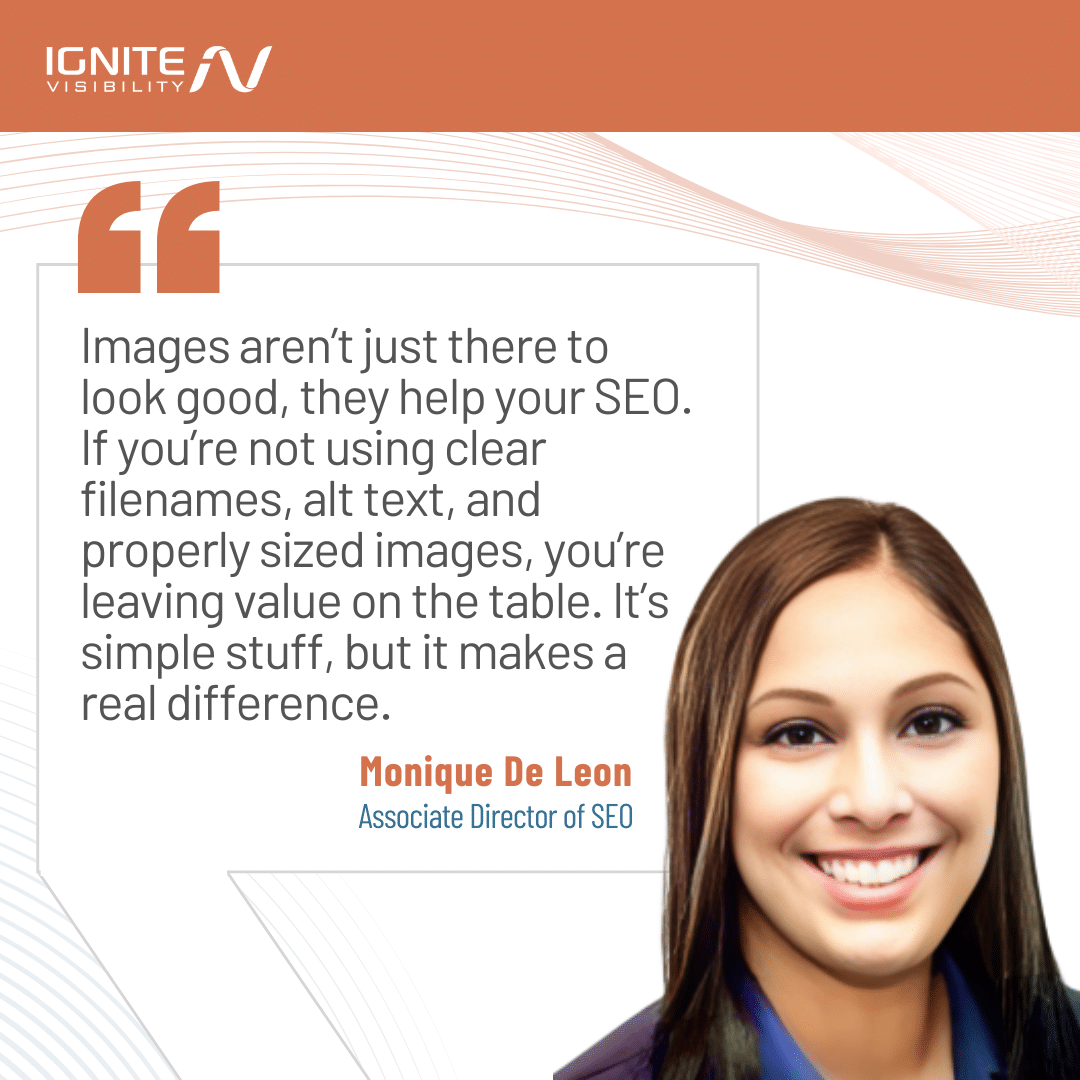
As search engines become increasingly sophisticated, they prioritize user experience and content quality, making SEO image optimization absolutely necessary. When done right, image optimization not only enhances your website’s visual appeal but also significantly contributes to your SEO strategy.
Too many people use images as website filler when, really, they’re a tool to help improve your website’s visibility, share your message, and help you be found in a noisy sea of digital information.
There are many reasons why you should tie your images and SEO together, but most importantly, it’s because search engines can’t “see” images in the same way humans do. They rely on alt text and image filename SEO to understand the content. By providing descriptive alt text, you not only make your content accessible to visually impaired users but also give search engines valuable context, potentially leading to higher rankings.
Image search optimization will also help improve the mobile-friendliness of your site, increase your chances of your images appearing in relevant searches, and make your site much more accessible to all interested users.
Action Item: Conduct an audit of your website’s images. Ensure they are compressed for faster loading times, include descriptive alt text, and have meaningful filenames. By taking these steps, you’ll improve user experience and enhance your SEO efforts simultaneously.
User Intent for Image SEO
Understanding user intent is essential for image SEO success. Search engines have moved beyond simply matching keywords. Now, they want to deliver results based on what they think the users are trying to accomplish.
Aligning your images with the specific intent behind search queries ensures your visuals appear in the right context, driving higher engagement and click-through rates.
Let’s look at 4 different types of user intent: informational, navigational, commercial, and local.
Informational Intent
Informational intent is when users are looking to learn something or find a solution to a problem. This type of intent typically returns tutorials, guides, or explanations.
For “how to tie a tie” or “garden layout ideas,” optimized step-by-step images, diagrams, and infographics perform best. Use descriptive file names like how-to-tie-windsor-knot-step-3.jpg and detailed alt text that explains each stage. These images can capture featured snippets and image carousels, significantly boosting page CTR.
Navigational Intent
With navigational intent, searchers are looking for specific brands, products, or entities. High-quality brand logos, product shots, and branded visuals should be optimized with exact brand names and model numbers. For example, an image file name SEO, such as nike-air-max-2026-white.jpg targets users navigating directly to that product. Clear, recognizable images build trust and increase click-through from image search results to your site.
Commercial Intent
Commercial intent is when users are comparing options before purchasing. Product images with multiple angles, lifestyle shots, and comparison charts address this intent. Include schema markup like Product or Offer to enhance visibility in rich results. Optimized product images can drive traffic from Google Shopping and image SERP, directly impacting conversion rates.
Local Intent
Local intent happens with location-based searches that benefit from images with geographic context, such as storefront photos, local landmarks, or geo-tagged visuals.
For “coffee shop downtown Seattle,” images showing your location, interior, or neighborhood increase relevance. Optimizing images with local keywords by adding location data in file names and alt text helps capture local image search traffic.
Naming images for SEO by aligning it with user intent will improve your rankings, while also directly impacting CTR. When you deliver the exact visual information searchers expect, it makes your content more clickable and valuable.
How to Choose the Right Image File Formats for SEO
Selecting the right image format directly affects page speed, user experience, and Core Web Vitals. These are all critical ranking factors in 2026.
Different formats offer varying levels of compression, quality, and browser support, making format choice a strategic SEO decision. Let’s look at the 4 popular types of images: JPEG, PNG, WebP, and AVIF.
JPEG
Best for photographs and complex images with many colors. Offers good compression with acceptable quality loss. However, JPEG files are larger than modern formats, which can slow page load times and hurt Largest Contentful Paint (LCP) scores. Use JPEG only when newer formats aren’t supported or for legacy compatibility.
PNG
Ideal for images requiring transparency, logos, and graphics with sharp edges. PNG files are lossless, preserving quality but resulting in larger file sizes. This can negatively impact Core Web Vitals, particularly LCP and Cumulative Layout Shift (CLS) if images aren’t properly sized. Use PNG sparingly and compress aggressively.
WebP
A modern format offering superior compression, up to 34% smaller than JPEG with comparable quality. WebP supports both lossy and lossless compression, plus transparency. It improves page load speed and LCP, making it an excellent default choice. Nearly all browsers now support WebP, making it highly practical for SEO.
AVIF
AVIF is the newest, most advanced format with better compression rates than both JPEG and WebP. This type of file delivers exceptional quality at minimal file sizes, dramatically improving Core Web Vitals, especially LCP and overall page speed. However, browser support is still growing, so using AVIF with WebP or JPEG fallbacks via <picture> elements is recommended.
Prioritize AVIF and WebP for maximum SEO impact, ensuring faster load times, better user experience, and improved rankings driven by Core Web Vitals performance.
Best Practices: How to Optimize Images for SEO
Optimizing images for SEO requires a combination of technical implementation, semantic clarity, and forward-thinking strategies that align with AI-driven search. Here’s how to maximize your image performance across all dimensions.
Here are some of the core best practices to consider when optimizing your images for SEO:
Responsive Images & Srcset
Make sure your images are appropriately sized based on device and screen resolution using the srcset attribute.
This prevents mobile users from downloading oversized desktop images, reducing bandwidth and improving load times. Implement <picture> elements to deliver modern formats like AVIF or WebP with JPEG fallbacks, ensuring optimal performance across all browsers while maintaining compatibility.
Lazy Loading
Enable native lazy loading with loading=”lazy” to defer off-screen images until users scroll near them.
This reduces initial page load time, improves Largest Contentful Paint (LCP), and conserves bandwidth. Lazy loading is especially critical for content-heavy pages with multiple images, directly boosting Core Web Vitals scores and user experience.
CDN Delivery & Image Sitemaps
Serve images through a Content Delivery Network (CDN) to reduce latency and improve global load speeds. CDNs cache images closer to users, enhancing performance metrics that search engines prioritize.
Additionally, submit an image sitemap or include images in your XML sitemap to ensure search engines discover and index all visual content, increasing visibility in image search results.
Descriptive Filenames
Always be sure that you’re naming images for SEO. Rename generic files like IMG_1234.jpg to descriptive, keyword-rich names such as organic-cotton-tote-bag-beige.jpg.
Search engines use filenames as context clues, so clarity and relevance matter. Use hyphens to separate words and keep filenames concise yet specific.
Image Alt Text SEO Best Practices
Alt text serves dual purposes: accessibility and SEO. Write concise, descriptive alt text that accurately conveys image content and context.
For example, instead of “product image,” use “woman wearing blue running shoes on a trail.” Naturally incorporate target keywords without keyword stuffing.
Remember, screen readers rely on alt text, so clarity is essential for ADA compliance.
Captions & Titles
Captions appear below images and provide additional context that both users and search engines read. Use them to reinforce relevance and add supporting details.
The title attribute offers tooltip text on hover. Use it sparingly for supplementary information, but prioritize alt text and captions for SEO value.
Structured Data & Schema Markup
Implement image schema types like ImageObject, Product, or Recipe to provide explicit context about your images.
Schema markup increases the likelihood of appearing in rich results, image carousels, and Google Lens results. Include properties like contentUrl, caption, license, and creditText to maximize visibility and compliance.
Visual & Generative Search Signals
AI-powered search engines now analyze image composition, objects, colors, and contextual relevance beyond metadata. Ensure images align semantically with surrounding text, headings, and page intent.
High-quality, contextually relevant visuals signal authority and improve rankings in both traditional and AI-generated search results
AI-Assisted Alt Text Examples
Use AI tools to generate initial alt text drafts, then refine for accuracy and keyword integration.
For example:
- AI draft: “A dog sitting on grass”
- Optimized: “Golden retriever puppy sitting on green lawn in backyard”
AI can speed up workflows, but human review ensures precision, brand voice, and SEO alignment.
Accessibility & ADA Compliance
Accessible images are legally required and improve SEO. Provide image alt text SEO for all meaningful images, use null alt (alt=””) for decorative images, ensure sufficient color contrast, and avoid text-heavy images without HTML text equivalents.
Accessible sites rank better, convert higher, and avoid legal risk. Plus, they’re just better all around when it comes to user experience.
Best Practices for Naming Images for SEO
How you name your image file is really important. Here are some tips to make the most of your file name.
- Keep it short: The SEO recommend character size for image file names is only 60 characters. Think of names like “gymanstics-gym-san-antonio.jpeg,” instead of something generic like “image62.jpeg.”
- Determine your keyword: Once you’ve defined the keyword for the web page, you need to integrate it into the image file name, keyword, and title.
- Craft SEO-friendly alt text: Alt text and SEO provide a text alternative to images when browsers cannot correctly render them. Your alt text needs to be keyword-rich and descriptive. A best practice is to keep this under 125 characters.
- Go beyond the standard alt text: Just using the keyword for alt text doesn’t paint a full picture, and crawlers will consider the quality. Instead of just using “medical billing software screenshot,” you could improve it by being more specific, such as “billing workflow features in medical billing software.”
- Use captions that describe the image: For visually heavy pages or those that need context, you can add captions to offer more information.
- Apply AI to streamline image SEO optimization: AI can have a role in supporting image SEO through image recognition, a subfield of AI. It involves training algorithms to recognize features in images and classify them based on characteristics. It can be a tool to automate alt text, image optimization, image search, and user experience.
Optimizing Images with Local Keywords for Better Search Visibility
- Infuse metadata with local keywords: Weave local keywords into your image’s metadata to improve your rank without messing with the content of your page.
- Think about your local audience: Optimizing images with local keywords will help reach a specific demographic and geographical region.
Best SEO Tips for Images on WordPress
When it comes to WordPress specifically, there are some things to remember regarding SEO image optimization.
- Use the right plugins: Plugins like Yoast SEO or Rank Math will provide image alt tags and proper descriptions. Adjust your settings to specify image dimensions and always implement lazy loading, which delays image loading until they are in view. This will improve your initial page load speed.
- Use the right tools: Tools like Google PageSpeed Insights can identify areas for improvement, especially regarding image optimization and loading speed.
- Remember to update your settings: Regularly update your image file names to include target keywords and ensure images are responsive to provide an optimal viewing experience on all devices.
- Automate image optimization: Image optimization can be automated using tools and plugins like WP Smush, ShortPixel, and Imagify. These plugins will compress and optimize images upon unloading and reduce file size without compromising quality.
- Use an image sitemap: Don’t forget about your image sitemap! It provides search engines with detailed information about images on your site and facilitates proper indexing. This can make all the difference in your SERP ranking!
- Correctly implement your sitemaps: Use tools like Google Search Console to implement image sitemaps. This will ensure that even complex images embedded in JavaScript are effectively indexed and searchable.
Practicing these image SEO tips ensures you’re doing all the right things to optimize imagery to support search rankings. Now, let’s look at image optimization for social media.
How to Change Which Image Google Uses for Your Website
Controlling which image appears in search results and social media helps maintain brand consistency and improve click-through rates. Here’s how to specify your preferred images using current best practices.
Use Structured Data and Meta Tags
Here are some ways you can use structured data and meta tags to guide Google through your website.
Structured Data (Schema Markup)
- Implement ImageObject schema with the image property in your page’s structured data
- For articles, use Article schema with the image array to specify primary and additional images
- Google prioritizes schema-defined images for rich results and Knowledge Panels
- Use high-resolution images (minimum 1200px wide) for best eligibility in Google Discover and rich results
Open Graph Tags (Social Media)
- Add <meta property=”og:image” content=”URL-of-your-image”> in your HTML <head>
- Specify optimal dimensions: 1200×630px for Facebook, LinkedIn, and most platforms
- Include og:image:width and og:image:height properties for faster rendering
- Use og:image:alt to provide accessible descriptions
Twitter Card Tags/X Card Tags
- Add <meta name=”twitter:card” content=”summary_large_image”> for prominent display
- Include <meta name=”twitter:image” content=”URL-of-your-image”>
- Recommended size: 1200×675px (2:1 aspect ratio)
- Use twitter:image:alt for accessibility
Image Optimization Requirements
- File format: Use WebP or AVIF with JPEG fallback; avoid PNG for photos
- File size: Compress to under 200KB without sacrificing quality
- Accessibility: Always include descriptive alt text
- Relevance: Choose images that accurately represent page content
- URL structure: Use absolute URLs (not relative paths) in meta tags and schema
Additional Control Methods
- Submit updated images via Google Search Console’s URL Inspection tool to request re-crawling
- Use robots.txt or noindex directives to prevent unwanted images from being indexed
- Create an image sitemap to prioritize specific images for indexing
Google ultimately decides which image to display based on relevance, quality, and user intent, but proper metadata significantly increases your control over the selection.
Impact of Using External Images on SEO
Does using other pages’ images in your website hurt SEO? It depends. Using external images on your website can have varied impacts on SEO.
While integrating high-quality images can improve visual appeal and user engagement, utilizing images directly from other pages or hosted on third-party servers can pose several challenges.
- If the images are not properly attributed or optimized, they can hurt SEO by increasing load times and causing copyright infringements. Google values original content, so relying heavily on external images without adjustments or proper credit could lead to lower rankings.
- There are also a number of potential risks associated with using third-party images. First, copyright issues can arise if images are used without permission or proper attribution. This could lead to legal actions and tarnish your website’s reputation.
- Additionally, sourcing images from external sites means relying on those sites’ servers. If their servers are slow or go down, it can directly affect your page’s load time, leading to a poor user experience and potential SEO penalties. Slow load times often lead to higher bounce rates, negatively impacting your site’s search ranking.
To mitigate these risks, properly attributing external images is crucial. You should always have permission to use the image and provide clear credit, often by linking back to the original source or following the licensing guidelines if it’s under Creative Commons.
You can also optimize these images by saving them to your own server. This allows better control over image quality and loading speed. Use appropriate alt text to improve accessibility and ensure that images are optimized for fast loading by compressing the file sizes without losing quality.
How to Optimize Images for Social Media
The quality of your images on social media matters, especially when trying to maintain a cohesive brand image across each channel. Since you’re competing with so many other online businesses, you must pay attention to every element.
- Google’s PageSpeed Insights: This tool improves user experience on both mobile and desktop devices. It will provide you with a list of suggestions on how to optimize your site.
- ImageOptim: This free tool will reduce file sizes, remove individual junk, and seamlessly combine with other image optimization tools like MozJPEF, pngquant, Pngcrush, 7zip, SVGO, and Google Zopfli.
- Cloudinary: Cloudinary helps to store, transform, optimize, and deliver data and images.
- Image4.io: It includes an image CDN, optimization for web and mobile, integrations with WordPress and others, and uses smart detection to recognize the user’s device.
- TinyPNG: This image optimization tool compresses JPEGs and PNGs. It can selectively decrease the number of colors to cut down its size and can optimize animated PNGs, too.
- ImageRecycle: It’s an image compressor that can also analyze your website and deliver a report of what images need optimization.
- ShortPixel: This WordPress plugin supports all image files to compress and convert with no file size limitations.
- Imagekit.io: This CDN option has image transformation, automatic image optimization, and performance monitoring and analytics.
Start Measuring the Success of Your Image SEO
You can track and measure image optimization SEO in the same way that you do standard SEO. Some key metrics would be:
- Site Speed: Test this regularly after any optimizations to identify improvements.
- Keyword Position Ranking: Any time you conduct optimization of images within your content, you could measure if these worked by looking at position rankings. To correlate this directly to your image SEO, don’t make any other changes on that page for 30 days.
- Page Traffic: Another way to determine if image optimization had an impact is to look at the traffic for the pages where you made adjustments. Again, you wouldn’t want to make additional edits, so you can know for sure that image SEO tactics drove more traffic.
Another way to track how well you’re doing with image SEO isn’t a metric. It’s an audit process to see what images need optimization, either by sizing or adding alt text. If your audits improve every time, and there are fewer fixes, then you are consistently applying image SEO best practices.
Common Mistakes Marketers Make on Image SEO
There are several mistakes businesses can make relating to image SEO optimization. Try to avoid these:
- Leaving alt text blank
- Forgetting to set the max image preview; if unspecified, Google will show a default size.
- Not using the keyword in the alt text.
- When using dynamic SEO strategies, neglecting to consider the impact on the types of images and their alt text could impact the value of such an approach.
- Alt text that’s not relevant
- Using the same alt text for multiple photos
- Not properly sizing and compressing images
- Failing to create image sitemaps
If you stick to the best practices, use appropriate tools, and continue to audit the process, you’re less likely to make these errors.
FAQs: Image SEO
1. What is image optimization in SEO, and why is it important?
Image SEO is the process of optimizing visual content so search engines can crawl, understand, index, and rank your images effectively. It involves technical elements like file compression and format selection, semantic optimization through alt text and filenames, and structured data markup. Image SEO is important because images drive a significant amount of all web searches and directly impact Core Web Vitals, user experience, and click-through rates. Properly optimized images appear in traditional search results, Google Images, featured snippets, and AI-powered visual search tools like Google Lens. They improve page load speed, reduce bounce rates, enhance accessibility, and multiply your organic traffic opportunities by creating additional entry points to your content.
2. What image formats are best for SEO in 2026?
AVIF and WebP are the best image formats for SEO in 2026. AVIF offers the highest compression efficiency, which dramatically improves Core Web Vitals like Largest Contentful Paint. WebP provides better compression than JPEG with broad browser support, making it a reliable default choice. Use the <picture> element to serve AVIF with WebP and JPEG fallbacks, ensuring optimal performance across all browsers. Avoid large PNG files except when transparency is required, and only use JPEG for legacy compatibility. Modern formats directly improve page speed, user experience, and search rankings.
3. What schema markup helps image SEO?
ImageObject schema is the primary structured data type for image SEO, providing explicit context about image content, licensing, and attribution. Use Article, Product, Recipe, or HowTo schema types that include the image property to specify primary images for rich results. Include properties like contentUrl, caption, license, creator, and creditText for comprehensive indexing. For products, combine ImageObject with Product and Offer schema to enhance visibility in Google Shopping and rich snippets. Proper schema markup increases eligibility for image carousels, featured snippets, Google Discover, and AI-generated search results by giving search engines clear, structured information about your visual content.
4. How often should I update images for SEO?
Update images when content changes, products are refreshed, or visual quality becomes outdated. Most people do this every 12-24 months for evergreen content. If you have time-sensitive content, such as seasonal campaigns or trending topics, update images immediately to maintain relevance. If Core Web Vitals scores decline, reoptimize existing images by converting to modern formats like AVIF or WebP and recompressing for smaller file sizes. Refresh alt text and filenames when target keywords evolve or user intent shifts. After updates, submit URLs via Google Search Console for re-crawling. Regular audits ensure images remain competitive as visual search algorithms and user expectations advance, but avoid unnecessary changes that don’t add value or improve performance.
5. How does visual search and AI use images in results?
Visual search and AI analyze image composition, objects, colors, text, context, and semantic alignment with surrounding content. Tools like Google Lens use computer vision to identify products, landmarks, text, and visual patterns, matching them to user queries even without typed keywords.
AI models interpret images alongside page text to understand intent and deliver contextually relevant results in traditional search, AI Overviews, and conversational search experiences. AI prioritizes high-quality, contextually aligned images that match user intent signals. To optimize for visual and AI search, ensure images are high-resolution, semantically relevant to page content, include descriptive metadata, and align with the specific user intent your content targets.
6. What role does image optimization play in user experience?
Image optimization plays a critical role in user experience by directly impacting page load speed, visual quality, and accessibility. Fast-loading, properly sized images reduce bounce rates and improve engagement, while compressed formats like AVIF and WebP enhance Core Web Vitals scores. Responsive images ensure seamless viewing across devices, preventing layout shifts and frustration. Descriptive alt text makes content accessible to screen reader users, improving inclusivity. Well-optimized images create smoother, faster, more enjoyable browsing experiences that keep users engaged, build trust, and encourage conversions, all while signaling quality to search engines.
Master Image SEO Now With the Help of Ignite Visibility
SEO for images can help you succeed with your SEO campaigns in many ways. If you would like some help with SEO image optimization, the experts at Ignite Visibility can help.
We’ll work with you to:
- Create SEO image assets that can complement other SEO content
- Optimize images using filenames, alt text, structured data, and other components
- Ensure your images show up in visual search results
- And more!
If you like this idea and want to excel with SEO for images, reach out to us today!

