

Webflow is one of the most popular developer tools around, but is it right for you? There are plenty of other solutions that might benefit you based on your unique development needs.
In this blog, Lucas Dantas, Head of Engineering, expert will compare various Webflow alternatives to help you make the right choice for your application.
What You’ll Learn:
- When to Choose: Headless CMS vs Enterprise CMS
- Why Compare Webflow With Other Platforms
- Top Webflow Alternative Comparisons
- Developer and Integration Consideration
- FAQs
Why Web Development Tools Matter
If you want to make sure your development is in good hands, it helps to work with professional developers who know how to fully implement the right website development tools.
With a strong set of web developer skills, you can experience the following benefits:
- Ease of website building and management
- Branding across your entire website to build recognition and a clear brand identity
- Scalability to help your site grow without compromising performance
- Extensive customization through compatible apps and integrations
The following are some key components to look for in your developer tools:
- Ample integrations
- Ease of use based on your skill set
- Adaptability to your industry needs
My Expert Opinion on Webflow vs. Other Developer Tools
Webflow is among the most reliable and affordable app development tools, but there are plenty of other desktop and mobile app development tools you can use to meet your needs.
First, let’s look into Webflow: This tool is a highly customizable content management system (CMS) that incorporates a drag-and-drop editor for simple web design and website launches.
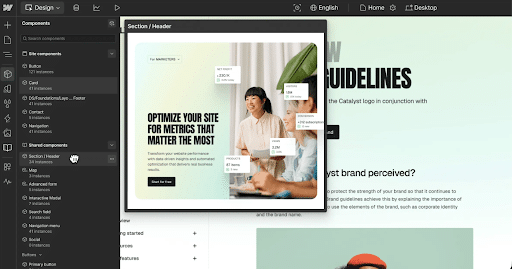
The platform offers many design elements and templates that you can tailor to your needs, and it’s extremely scalable for large development projects. Additionally, it offers basic SEO tools and works with many marketing solutions to help you with keyword tracking and much more.
While you might benefit from this tool, there are also many other options available, each with different advantages that you might not find with Webflow.
When to Choose: Headless CMS vs Enterprise CMS
There are two main types of CMSs you might use for your site: headless and enterprise. A headless CMS separates the frontend from the backend, leaving you with the latter to allow for more flexibility in content delivery.
Here is a breakdown of when to choose a headless or enterprise CMS for your site:
| Requirement | Headless CMS | Enterprise (Traditional) CMS |
| Architecture | Decoupled to separate the backend from the presentation frontend | Monolithic and coupled to blend presentation with content |
| Content Delivery | Omnichannel for more versatility of content delivery | Focuses on a single channel, i.e., a single website |
| Technical Skills | Requires more advanced skills | Works best for non-technical users and marketers |
| Development Flexibility | High flexibility as developers can use preferred languages and frameworks | Limited |
| Content Preview | No built-in preview and requires custom setup | Built-in preview |
| Performance and Scalability | Higher performance | Limited scalability |
| Security | Stronger security due to decoupling | Larger attack surface as an all-in-one platform |
| SEO Management | Separate management | Integrated SEO tools in many cases |
Why Compare Webflow With Other Platforms
While Webflow is one of the most popular website development tools, it’s not the only option.
There are many viable software development collaboration tools you can use based on your needs, depending on your available budget, scalability requirements, and desired integration capabilities.
Top Webflow Alternative Comparisons
Want to find out which developer productivity tools are right for you based on your project needs? Here is a comparison of the various Webflow alternatives:
Webflow vs. HubSpot
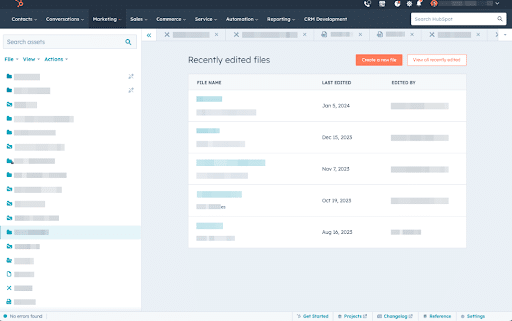
HubSpot CMS offers a host of powerful marketing tools to help with everything from lead generation to overall growth. What makes HubSpot uniquely valuable is its connection to the entire HubSpot ecosystem, with extensive CRM integration capabilities and the ability to use it alongside HubSpot’s various marketing, sales, and service solutions.
Pros
- Easy to use for all skill levels
- Template-driven system for efficiency
- Streamlined integration with HubSpot’s marketing automation tools for optimization
Cons
- Less flexibility and customization than Webflow
- Low-medium scalability
Ideal Use Cases: HubSpot CMS is best for businesses seeking integrated CRM capabilities as well as convenient marketing tools, albeit at the cost of design flexibility.
Pricing: Tiered pricing ranging from a free version to an Enterprise plan starting at $4,700/month.
Total Cost of Ownership Subscription fees, user seat costs, add-ons, and training.
Integrations: Strong native integration with CRMs.
Migration Notes: Allows for migration through HubSpot Website Migration, which moves your website into HubSpot’s Content Hub.
Webflow vs. WordPress
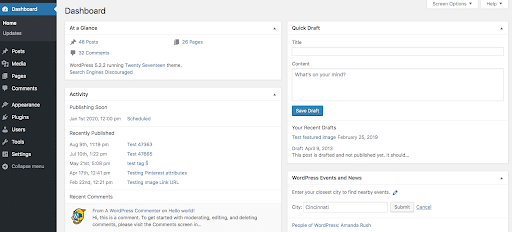
Another popular Webflow alternative is WordPress, which offers developers a wide variety of extensions and features to give them total control over the development process. If you have more coding experience and need a solution that maximizes flexibility, you may want to use WordPress over other developer tools.
Pros
- Flexible plug-and-play platform with ample plugins and themes
- Advanced customizations with coding
- Open-source nature for optimum versatility
Cons
- Steeper learning curve
- Requires more hands-on management
- Less security than other web development tools
Ideal Use Cases: Businesses requiring more comprehensive and customizable development tools for web development will benefit from using WordPress, which offers more hands-on management and control than Webflow.
Pricing: WordPress is free, with added variable costs for hosting, plugins, and other features.
Total Cost of Ownership: Although WordPress on its own is free, the TCO for this tool can accrue costs through hosting, premium themes, domain registration, and plugins, potentially costing hundreds annually.
Integrations: WordPress integrates with a large ecosystem of plugins, while hosting and other integrations are separate, unlike Webflow.
Migration Notes: Migration using WordPress is easier with the help of plugins, especially for beginners. However, the size of the site can make the process of migration considerably more complex.
Webflow vs. AEM
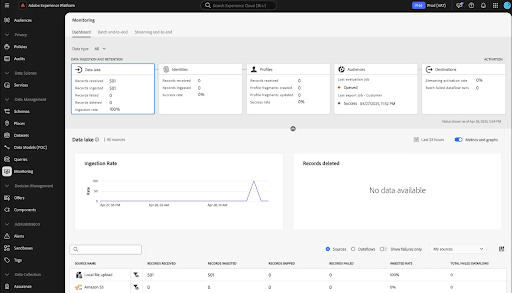
Adobe Experience Manager (AEM) is one of the best website development tools for enterprise sites, connecting to the broader Adobe ecosystem of tools for reliable digital asset management, marketing automation, and content personalization. It works with Adobe Campaign and other tools to give you more control over marketing.
Pros
- Great for enterprise-level websites
- Extensive design flexibility with effective digital asset management
- AI-driven personalization for content optimization
Cons
- Requires a higher level of expertise to use effectively
Ideal Use Cases: If you need a solution that can handle enterprise websites and allow for advanced optimization with in-depth analytics, AEM is one of the best developer productivity tools to use, although at the cost of less user-friendliness than Webflow.
Pricing: Custom enterprise-level pricing, depending on the desired features.
Total Cost of Ownership: The overall cost of using AEM depends largely on the kinds of features you need and the cost of implementing other Adobe tools, including the Adobe Marketing Cloud.
Integrations: Works with many Adobe products, including the Adobe Marketing Cloud, allowing for everything from content personalization to keyword tracking with Adobe Analytics.
Migration Notes: Use Adobe’s Content Transfer Tool (CTT) to transfer existing principal and content to the AEM Cloud Service. However, you may need to move content from other sources using APIs to help map data to pages and components within AEM.
Webflow vs. Contentful
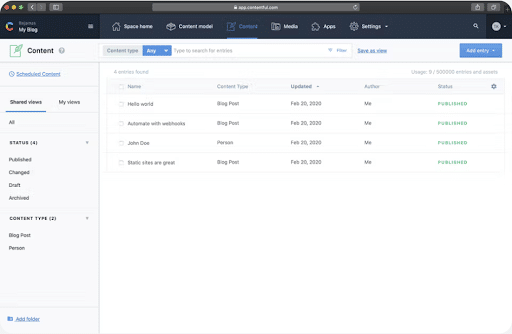
If you require a headless CMS that optimizes scalability and flexibility, Contentful is a solid option. As its name suggests, Contentful is a Webflow alternative that emphasizes content management and delivery, keeping it separate from the design and development aspects. It’s also better for large-scale development projects where Webflow is more limited.
Pros
- Flexible content modeling system
- Advanced features for rich field types and complex content relationships
- In-depth content organization
Cons
Not the best option for small and simple projects, where Webflow is the better option
Ideal Use Cases: Contentful is a great solution for developers, enterprise sites, and tech-savvy experts who want to manage and distribute various types of content on multiple channels and devices.
Pricing: The cost of Contentful varies based on business size and the kinds of features you need, with the base version being free, a $300/month Lite version, and a Premium version for enterprises with custom pricing.
Total Cost of Ownership: While this is potentially among the more affordable app development tools, the TCO will depend on factors like the number of users, roles, locales, integrations, bandwidth, and collaboration capabilities, all of which will influence which tier you go with.
Integrations; Contentful works with many third-party integrations and extensions.
Migration Notes: Contentful enables you to easily migrate your website to the platform using solutions such as Contentful Migration CLI and the Content Management API (CMA). You may then reroute your site’s frontend app to the Content Delivery API or GraphQL API.
Webflow vs. Weebly
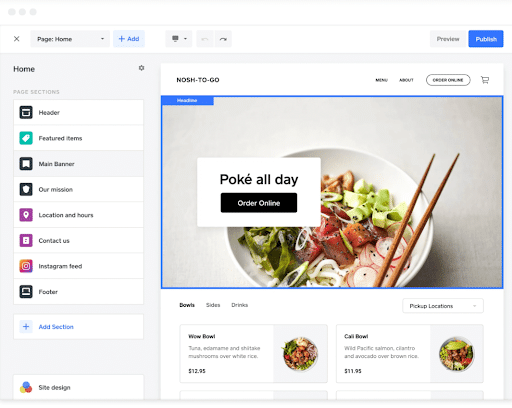
Weebly is, like Webflow, very easy to use with a drag-and-drop interface that makes it great for beginners. Generally, users can build and manage a website without any technical skills with the help of this developer tool.
Pros
- Extremely user-friendly
- SEO tools to help improve visibility
- Third-party integrations through a dedicated app center
Cons
- Limited customization abilities
- Moderate scalability that isn’t as reliable as Webflow
Ideal Use Cases: Works best for developers in need of a simpler and easy-to-use solution for a small-scale website.
Pricing: As one of the more affordable app development tools, Weebly offers several plans, none of which climb too high in price. There’s a free plan, a Personal plan costing $10/month, a Professional plan at $12/month, and a Performance plan peaking at $26/month.
Total Cost of Ownership: The TCO for Weebly depends on features like custom domains, storage needs, advanced site statistics, and password protection.
Integrations: Offers fewer third-party integrations than Webflow and other software development collaboration tools, but it does enable integration with email marketing services, some ecommerce tools, and social media.
Migration Notes: Easily drag and drop elements from your existing site into Weebly, with the ability to upload media files and pages using the media library and third-party tools.
Webflow vs. Drupal
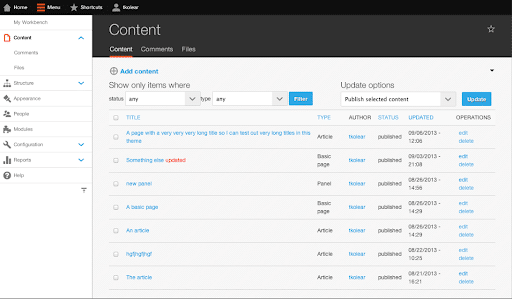
Drupal is a CMS that’s been around for almost 25 years and is known for its ability to support large-scale websites with high traffic and substantial amounts of content. This tool might be ideal if you are open to website development tools with a steeper learning curve and are working on a large development project.
Pros
- High scalability
- Extensive customizations and API configurations
- Advanced security features
Cons
- Not as easy to pick up and use as Webflow
- Less support for ecommerce sites than Webflow
Ideal Use Cases: If you’re looking for developer-centric desktop or mobile app development tools, you can’t really go wrong with Drupal. It offers plenty of customizations and scalability for large-scale enterprise websites.
Pricing: While the Drupal software is free, you will need to pay for hosting and custom features to get the most from the platform.
Total Cost of Ownership: The TCO for Drupal varies greatly from site to site, based mostly on the scope of the project, with small business websites likely to pay around $5,000 to $20,000 for basic features, while large enterprise sites can pay up to $1,000,000.
Integrations: Drupal supports many third-party integrations with custom code, giving developers the chance to easily adapt the platform to their specific needs.
Migration Notes: You can migrate to Drupal using the latest version of Drupal and the Migrate, Migrate Drupal, and Migrate Drupal UI modules, along with additional modules if needed.
Webflow vs. Shopify
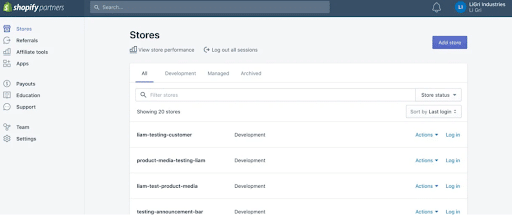
Shopify is also among the best Webflow alternatives out there. It’s specifically designed for ecommerce brands, and subsequently offers superior scalability for sites selling as many as millions of products. It also includes point-of-sale (POS) software and hardware for all types of retail businesses.
Pros
- Robust ecommerce solution
- Ease of use with hundreds of professionally-designed themes
- Extensive app marketplace for customization
Cons
- Requires a degree of coding expertise for many themes
- Less flexible CMS than Webflow
Ideal Use Cases: Ecommerce and retail brands looking for a highly scalable and easy-to-use platform will want to implement Shopify in many cases.
Pricing: Prices for Shopify start at $29/month for the Basic plan and go up to $2,300+/month for more complex businesses.
Total Cost of Ownership: The TCO of Shopify will depend on numerous factors, including insurance, inventory locations, the number of staff accounts, and the presence of local storefronts.
Integrations: A dedicated app store allows for ample customization with many apps and themes.
Migration Notes: Shopify makes it easy to migrate your site using its import tools and integration with migration apps, with the ability to set up payment via PayPal, Shopify Payments, and other payment providers.
Developer and Integration Considerations
When selecting your developer tools, be sure to factor in:
- API depth, which will dictate how easy it is to build a site
- Software development kits (SDKs) that determine the language of the code
- Integrations with third-party apps or an in-platform ecosystem of plugins and extensions
- Developer workflows and the ability to run the tool locally and manage infrastructure
Security, Governance, and Enterprise Readiness
Other considerations regard security, site governance, and the ability to manage enterprise sites.
Specifically, think about:
- Single Sign-On (SSO): Authenticates users using a centralized corporate identity provider like Google Workspace.
- SOC/ISO Certifications: Covers independent third-party audit reports and guarantees security through SOC 2 Type II and ISO 27001 compliance.
- Role-Based Permissions: User permissions vary based on the specific role within the organization, whether a developer, admin, viewer, or editor.
- Compliance: Your tool should also help maintain regulatory compliance with GDPR, the CAN-SPAM Act, and other relevant legislation.
FAQs
1. What are the top Webflow alternatives?
There are many developer tools out there that you can use to replace Webflow, including WordPress, HubSpot, AEM, Contentful, Weebly, Drupal, and Shopify. Each includes key features that can benefit many developers.
2. Can I migrate a Webflow site without losing SEO?
With careful planning and mapping of redirects, you can smoothly migrate your site from Webflow to other tools and vice versa.
3. Is Webflow secure and enterprise-ready?
Webflow is highly secure and compatible with enterprise sites through SOC 2 and ISO 27001 compliance, along with SSO and role-based access, with the ability to scale for large sites.
Make Full Use of the Best Developer Tools With Ignite Visibility
Whether you decide to go with Webflow or another solution for development, Ignite Visibility can help you get the most from it with our team of skilled developers. We can determine which solution will be right for you and assist with:
- Migrating your site to the desired platform
- Setting up SEO and keyword tracking
- Developing your site from the ground up
- Continual optimization for better results
- And much more!
Reach out to us today to schedule a free proposal!

