

It’s no secret that the emergence of AI-generated images has captured the imagination of creators worldwide. These innovative tools, known as AI image generators, have quickly skyrocketed in popularity for their ability to produce visually compelling and diverse images.
In this post, Oscar Lutteroth, Chief Creative Officer, will take a closer look at the features and advantages of leading players in the field, discovering how these tools are redefining digital artistry as we know it.
What You’ll Learn:
- How AI Image Generators Work
- Legal Implications of AI-Generated Images
- 5 Top AI Image Generators
- Whether AI Will Take Over Creative Jobs
Our Expert Insight on AI Generated Images
As this technology evolves, it’s exciting to envision AI not merely as an assistant, but as a collaborative partner. This partnership heralds a future where human creativity is amplified, leading to a richer, more diverse landscape of design and art.
AI-generated images, therefore, are not just about efficiency; they’re about expanding the horizons of what’s creatively possible, enabling us to explore new realms of artistic expression.
Action Item: Embrace AI as a creative partner. Start by integrating AI tools into your design workflow. Experiment with different AI image generators to understand their capabilities and limitations.
Encourage your team to use these tools not just for efficiency, but as a means to push the boundaries of their creativity. This will not only enhance your current projects but also prepare your team for the future landscape of design where AI plays a central role.
How Do AI Image Generators Work?
At the heart of an AI image generator is a sophisticated blend of algorithms and deep learning techniques. AI image generators represent a remarkable fusion of technology and creativity. These tools analyze large datasets of images, learning intricate patterns, styles, and structures.
Through this learning process, they gain the ability to generate new and unique images by applying the acquired knowledge.
The process involves feeding the AI with input data, and the model, in turn, synthesizes an output. This output can range from extremely realistic photographs to abstract artwork, depending on the AI’s design and purpose.
As the AI continuously refines its creations over time, it adapts and learns, producing increasingly refined and nuanced images. These tools analyze large datasets of images, learning intricate patterns, styles, and structures.
AI image generators and other AI content generation tools continually learn and adapt through machine learning (ML) and neural networks. Today’s models, including OpenAI’s GPT-5, Google’s Gemini 2.5 Pro, and Claude Sonnet 4.5 all learn via ML to better understand the context given through users’ input and the content it both scans and synthesizes based on continual training.
A specific example of how this technology expands the boundaries of image editing is through using an ai-based image extender, which enables users to seamlessly expand pictures without noticeable stretching or distortion. This innovative tool blends advanced AI algorithms with user-friendly interfaces to enhance creative control.
Legal Implications of AI-Generated Images
While the appeal of AI-generated images is undeniable, it’s important to navigate the legal landscape surrounding their use. The licensing terms associated with each tool needs to be carefully considered, especially when these images are intended for commercial purposes, such as advertising.
Copyright Considerations
When it comes to the content that AI image generators train on, you’ll want to consider copyright protection. While the U.S. Copyright Office has established that copyright protection extends solely to human-produced images, making AI images public domain, this could change.
There is increasing controversy around how AI “steals” people’s content, which could lead to significant changes in how the law perceives AI-generated content. So, you may need to keep in mind how copyright laws change over time to legally use AI-generated vs. real image data sets.
Licensing Matters
Understanding the licensing terms of AI-generated images is crucial. Some generators offer images under open licenses, allowing for broad usage, while others may have more restrictive conditions.
Be sure to always thoroughly review and adhere to the specific licensing agreements to avoid any legal complications down the road.
Laws and Advertising
The use of AI-generated images for advertising purposes introduces an additional layer of complexity. Strict adherence to copyright laws, image ownership, and the potential impact on brand reputation should be carefully reviewed.
As technology evolves, legal frameworks are adapting accordingly, making it vital for content creators to stay informed about any changes in regulations that could affect their work.
Ethical Considerations
Additionally, think of the ethical use of AI and the importance of disclosing that you are implementing AI image generators to produce imagery in any capacity. That transparency could help maintain your reputation.
If you use an AI image enhance generator to “touch up” an existing image, be sure to give credit to the original image’s author to avoid potential copyright issues.
Top AI Image Generators
With so many tools to choose from, how do you go about selecting the best AI image generator for your creative pursuits? Let’s explore the unique features, advantages, and drawbacks of some of the most popular tools on the market.
1. Stable Diffusion
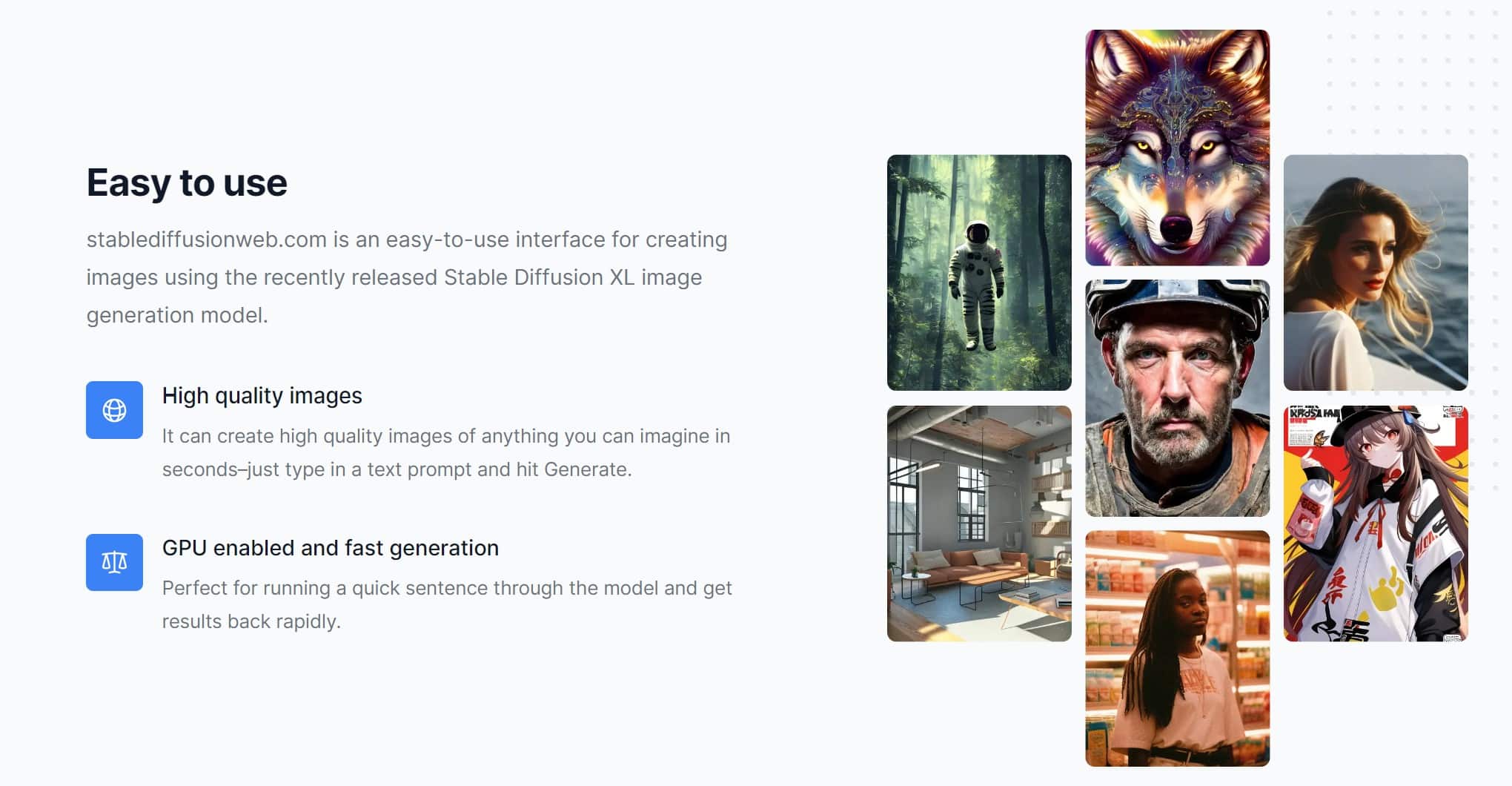
Stable Diffusion emerges as a frontrunner in the realm of AI image generators, often praised for its exceptional realism. The robust algorithm underpinning this generator is a powerhouse, delivering a broad spectrum of diverse outputs. Its user interface is not only intuitive but also designed to be user-friendly, making it accessible even to those new to the intricate world of AI image generation.
Pros:
- Stable Diffusion excels in producing images that are not only realistic but also showcase a level of detail that sets it apart.
- The generator’s algorithm is a strength, ensuring a vast array of outputs, from traditional to avant-garde.
- The intuitive design of the user interface contributes to a seamless and user-friendly experience for both novices and seasoned users.
Cons:
- While Stable Diffusion offers a positive experience, its free options are somewhat restricted, potentially limiting access for users on a budget.
- Particularly noticeable for high-resolution images, the processing time can be extended, requiring users to exhibit patience for optimal results.
How to Use:
- To upload your base image, begin by selecting the image you want to transform.
- Tailor the generator to your preferences by adjusting settings for style and desired output.
- Once the image is generated, download it and make any adjustments necessary to align with your creative vision.
2. Midjourney
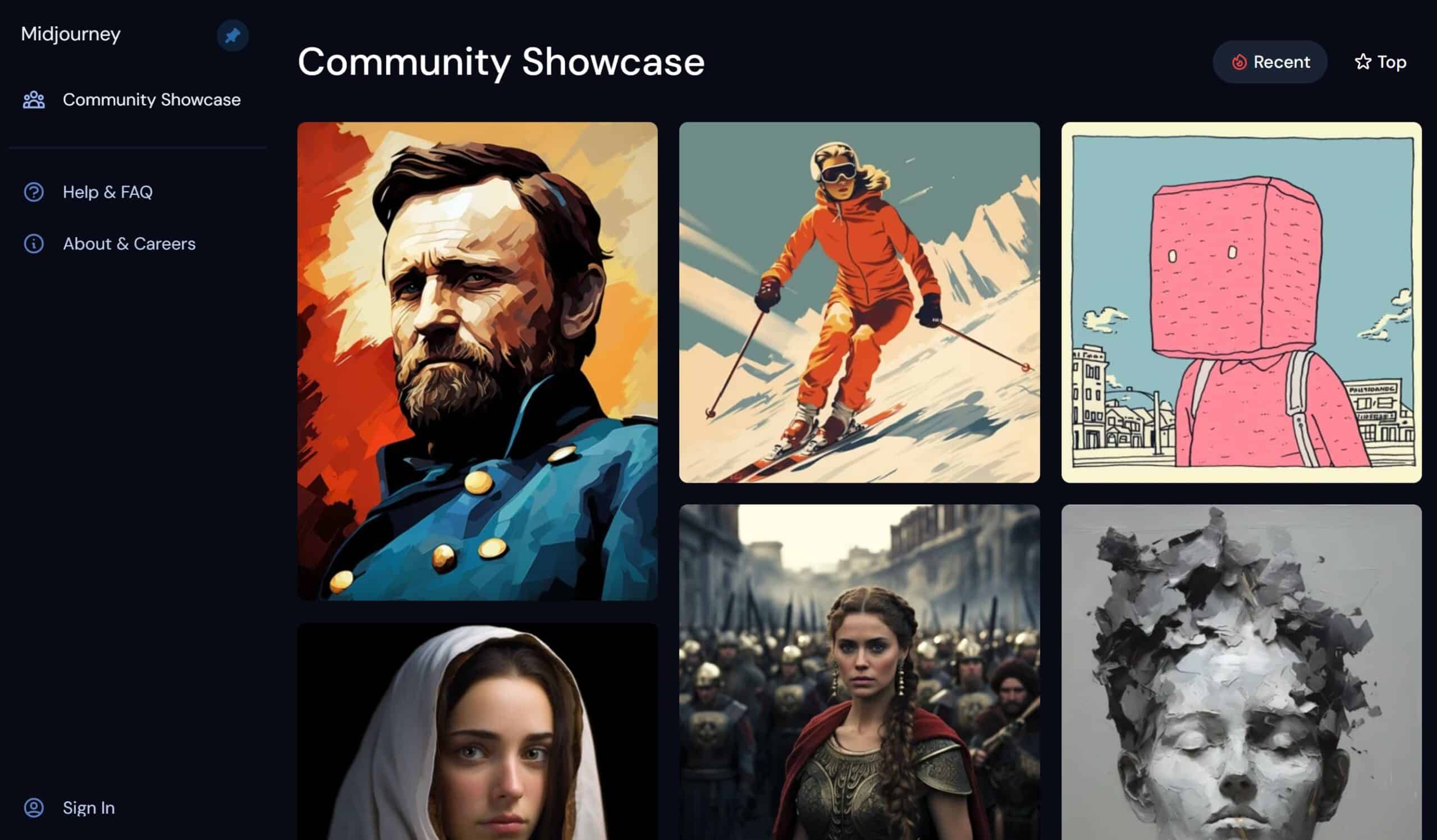
Midjourney distinguishes itself with its emphasis on high customization, allowing users to craft an AI-generated image that aligns precisely with their creative vision. The efficient processing times add to its appeal, creating a tool that balances flexibility and speed. The supportive community surrounding Midjourney enhances the user experience, fostering a collaborative environment.
Pros:
- Midjourney is celebrated for its ability to offer a highly customizable experience, allowing users to tailor images to their specific preferences.
- The efficient processing times enhance the overall efficiency of image generation, providing results quickly.
- A robust community adds value, allowing users to exchange insights, tips, and support, enriching the overall user experience.
Cons:
- While Midjourney caters well to experienced users, beginners may encounter a steeper learning curve, necessitating a bit more time to acclimate.
- The free tier, while valuable, comes with limitations, potentially restricting access to some of the more advanced features.
How To Use:
- Dive into the creative process by experimenting with a variety of input parameters to achieve the desired outcome.
- Adjust settings based on your preferences to fine-tune the AI-generated images.
- Once satisfied with the results, download the images and seamlessly integrate them into your creative projects.
3. Dall-e
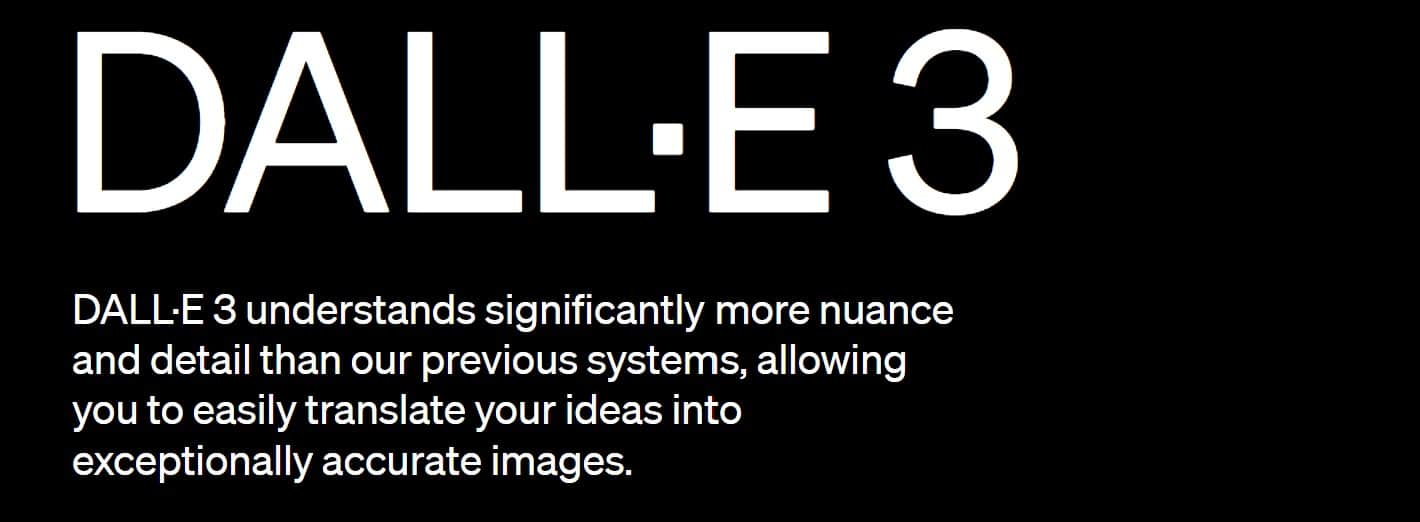
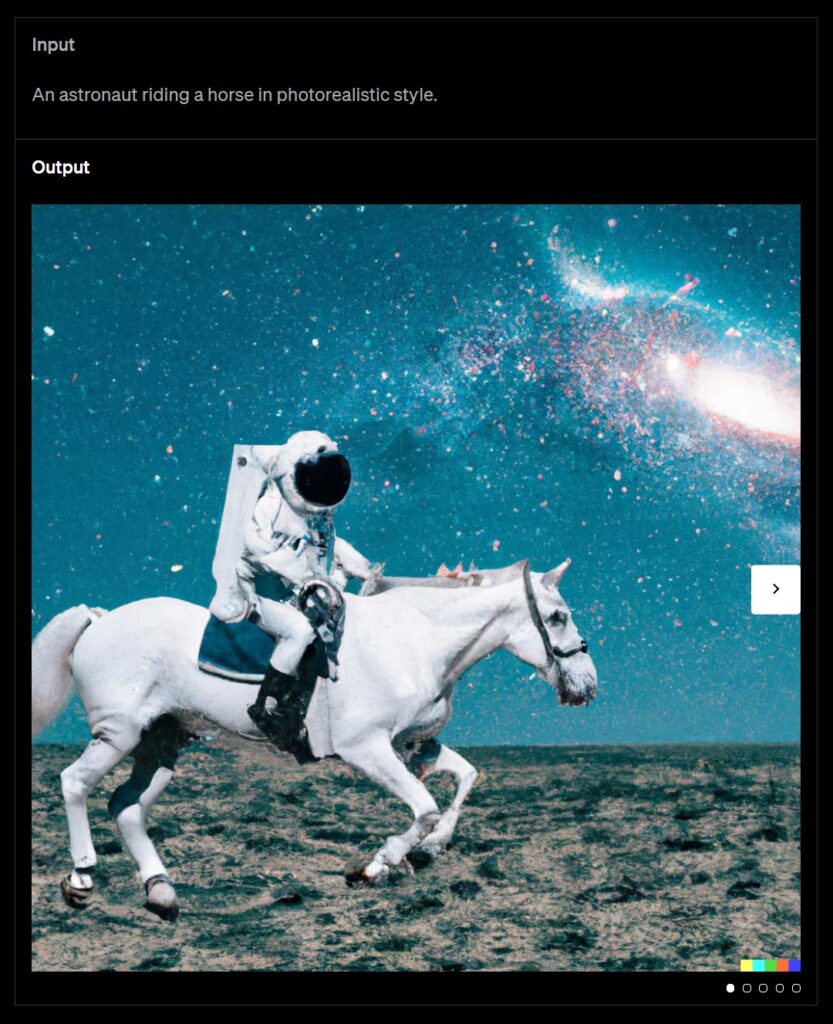
Dall-e is a one-of-a-kind AI image generator, standing out for its unparalleled originality. Beyond traditional inputs, Dall-e empowers users to create images from textual descriptions, expanding the realm of possibilities. With continual updates introducing new features, Dall-e maintains its position at the forefront of AI image generation.
Pros:
- Dall-e excels in pushing the boundaries of creativity, producing images that go beyond traditional expectations.
- The tool’s unique feature allows users to create images based on textual descriptions, providing an innovative and expansive approach.
- Dall-e remains dynamic with frequent updates, ensuring users have access to new and advanced features as the technology evolves.
Cons:
- Processing with Dall-e can be demanding on resources, requiring users to consider their system capabilities for optimal performance.
- While the base features are robust, access to premium features comes with a financial cost, potentially limiting access for users on a budget.
How To Use:
- Start by inputting text or adjusting existing parameters to guide the image generation process.
- Explore the diverse range of images generated based on your input, opening up new creative possibilities.
- Save the generated images or further modify them based on your specific creative needs, ensuring they align seamlessly with your vision.
4. DreamStudio by Stability AI
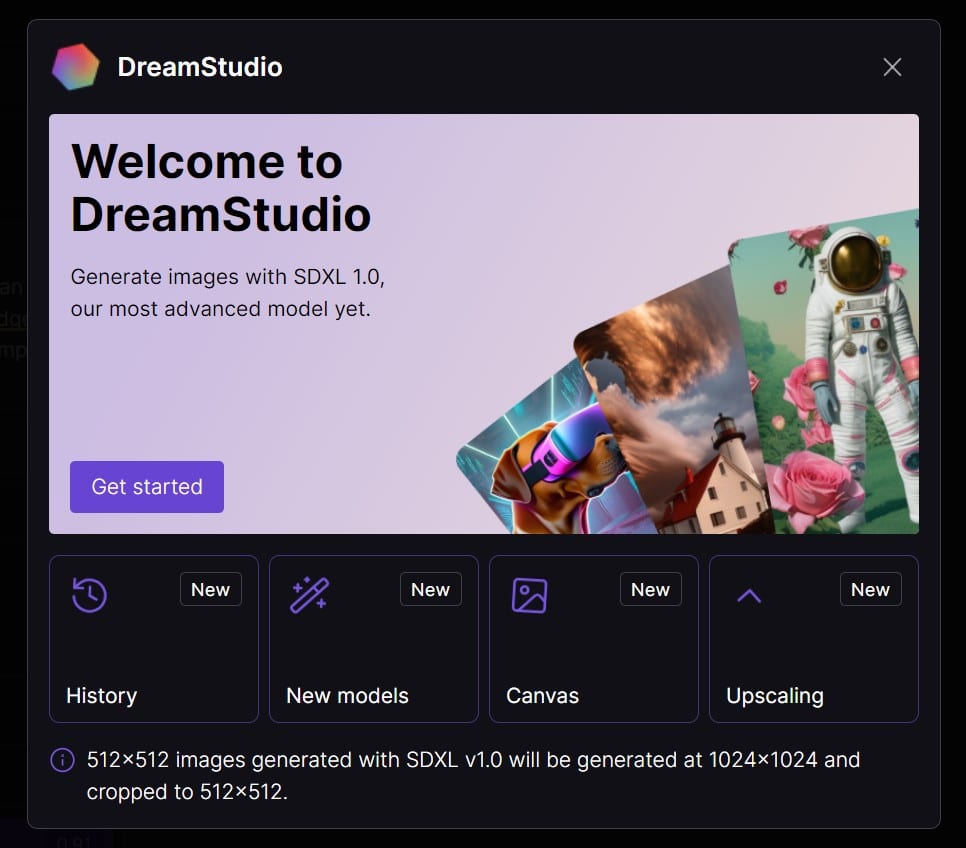
DreamStudio by Stability AI emerges as a key player in the AI image generation landscape. Tailored to provide users with a high level of creative control, this platform stands out for its efficiency and quick processing times. The supportive community surrounding DreamStudio enhances the user experience, offering valuable insights and collaborative opportunities.
Pros:
- DreamStudio inherits the robust customization features of Stable Diffusion, allowing users to tailor images to their creative vision with ease.
- Built upon the foundation of Stable Diffusion’s efficiency, DreamStudio ensures quick processing times, delivering prompt results without sacrificing quality.
- Setting itself apart, DreamStudio allows users to easily adjust image ratios, a noteworthy feature considering the common 1:1 default of many other AI generators.
Cons:
- While DreamStudio addresses accessibility, beginners may initially find a learning curve, especially with the advanced features inherited from Stable Diffusion.
- The free tier, while valuable, may have some limitations on advanced capabilities, prompting users to explore premium options for a more comprehensive experience.
How to Use:
- As Stable Diffusion is open-sourced, users can download and utilize it at no cost, though some technical proficiency may be required.
- DreamStudio simplifies the process by incorporating Stable Diffusion’s latest version into an easy-to-understand user interface, ensuring accessibility for users of all skill levels.
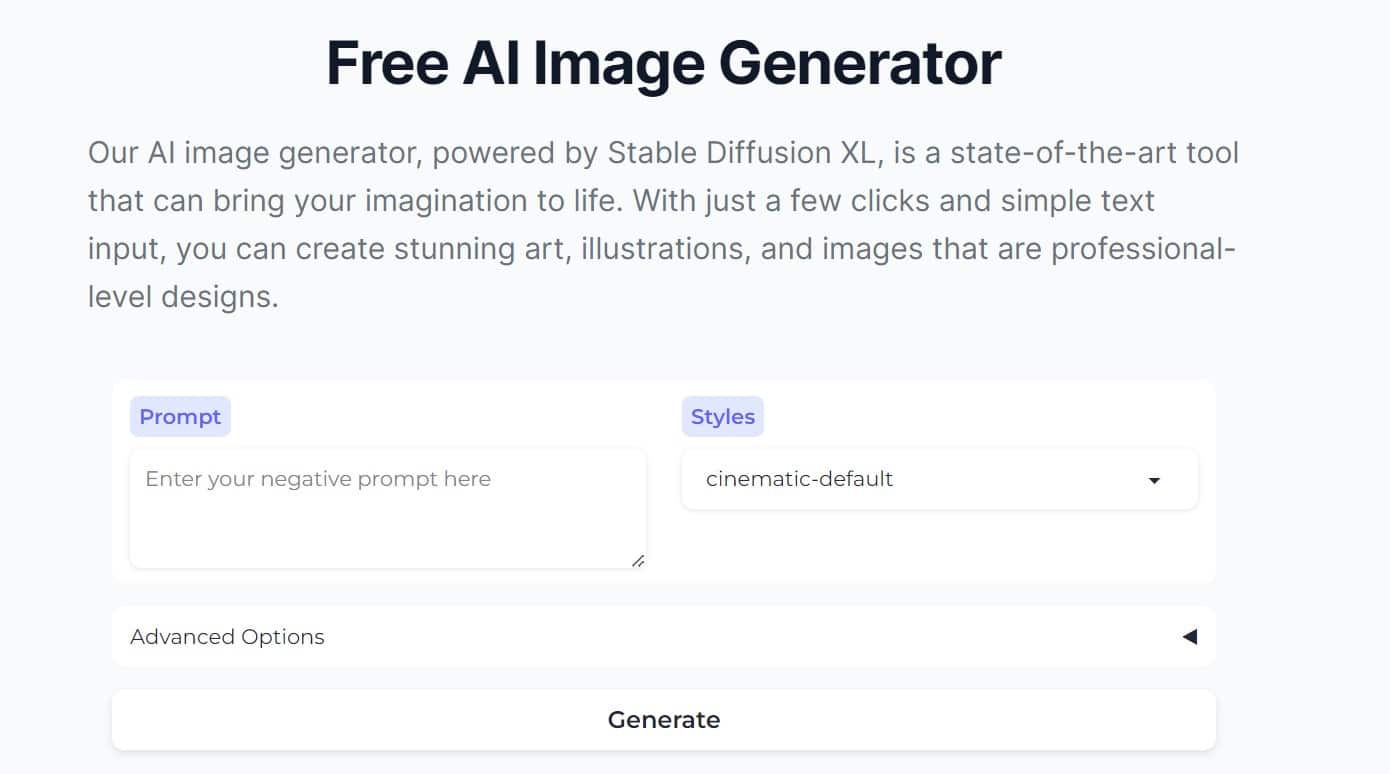
- DreamStudio’s multiple customization options, including the unique “negative prompt” and flexible image ratio, allows users to tailor their images precisely to their creative specifications.
5. Runway AI
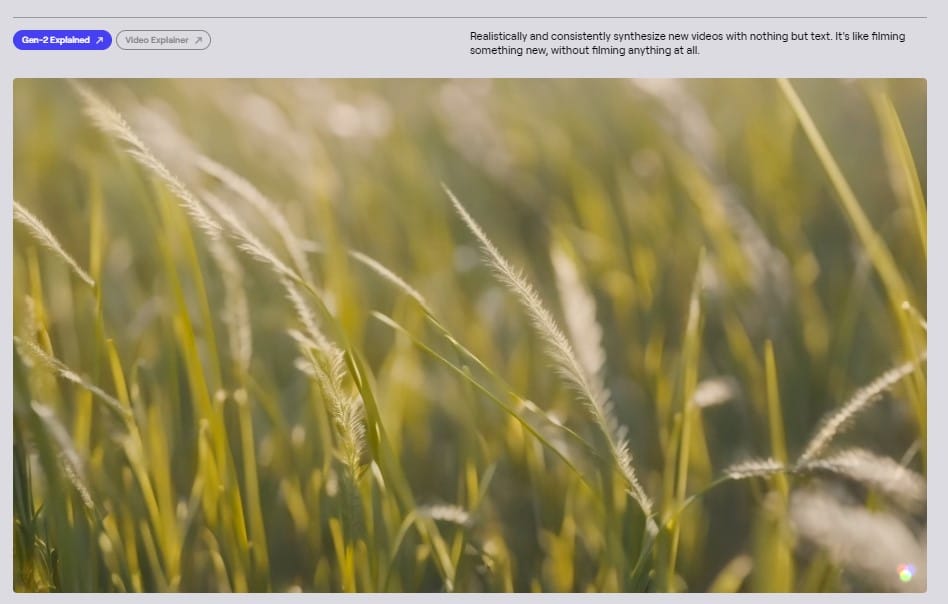
Recognized for its innovative approach and featuring over 30 creative tools driven by AI, Runway AI allows users to effortlessly generate text for videos and images. What sets it apart is the ability to train personalized models, offering a tailored approach to AI-driven creativity, making it both accessible and customizable for individuals across diverse creative landscapes.
Pros:
- Specifically designed for major corporations and entertainers, Runway AI caters to a diverse user base, ensuring versatility and adaptability for varying creative needs.
- Runway AI allows users to train their AI models, offering a unique opportunity to match brand styles and subject guidelines, ensuring a personalized and cohesive visual identity.
- Runway AI maintains its position as a top AI image generator through continual updates, providing users with access to new and advanced features that keep them at the forefront of creative possibilities.
Cons:
- Access to certain tools and the ability to upscale or remove watermarks from generated videos comes at the cost of credits.
- Runway AI currently lacks support for PNG or ProRes exports in video projects, which poses challenges for users who prefer or require these specific formats for their creative endeavors.
How to Use:
- Tailor the AI’s output to align precisely with your vision, experimenting with various inputs for diverse outcomes.
- Explore the nuances of each output, considering the unique textures, styles, and themes to find the perfect match for your project.
- Once satisfied with the generated results, save the images or videos as they are, or further modify them to meet your requirements.
6. Canva Magic Media
Among the best image generating AI is Canva Magic Media, which allows you to generate fully customized images and videos based on text prompts within Canva. Simply enter a description, select a specific art style, and develop assets for all types of marketing content.
Pros:
- Very user-friendly design that makes it one of the best AI image generators.
- Does not train its AI on your image content.
- Convenient app that can integrate imagery into your projects.
Cons:
- Not quite as advanced as other popular AI image generators and doesn’t allow.
- While an AI image description generator free version is available, you only get a limited number of credits to use.
How to Use:
- Open Canva on your browser or within the app and choose Magic Media in the side panel.
- Enter your prompt into the generator, choose a style, and produce the image.
- Add the image to your design.
7. Ideogram
If you’re looking for the best AI image generator in 2025, you may find it in Ideogram, a tool that can produce both high-quality images and legible text within images. So, if you want to add some quality text labels, signs, descriptions, or other types of text to images, Ideogram offers this advantage over others like Midjourney.
Pros:
- A great image generator that gives you both a top-quality image and readable text and typography.
- Can adhere to your particular style.
Cons:
- Free plans are limited, requiring a paid subscription to access all features.
How to Use:
- Go to the Ideogram website and set up your account.
- Enter your prompt, including the ideas for the image and text to generate an image that uses both.
8. Leonardo AI
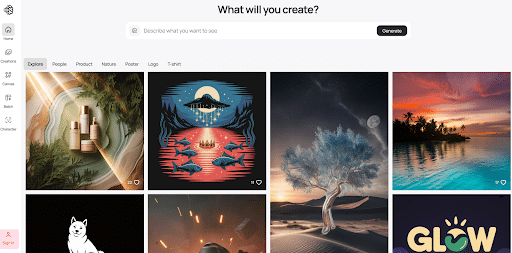
What is an AI image prompt generator that can do more than generate images? Leonardo AI is one that can go beyond basic image generation, with the ability to create assets for games, prints, and more, with a vast model catalog. It also gives you plenty of control.
Pros:
- A comprehensive free plan that offers daily credits and access to many art styles
- It also works as an AI image description generator for free that can improve your prompts for better descriptions.
Cons:
- Advanced editing tools require a paid subscription.
How to Use:
- Sign up on the Leonardo AI website
- Go to AI Image Generation and enter your prompt
- Select the ideal style and model and click Generate.
9. Poe
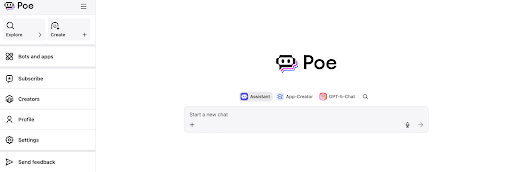
What makes Poe different from other AI generators is its use as a platform to compare and test other AI models, including Stable Diffusion XL, DALL-E 3, and Ideogram. As such, it’s a multimodal tool that gives you access to several popular AI image generators using a centralized program.
Pros:
- Makes it easy to test different AI models using a single AI image full body generator.
- A single, easy-to-use interface.
Cons:
- Licensing rules depend on the specific model you use, which could require some consideration when it comes to commercial purpose.
How to Use:
- Visit the Poe website and choose a particular bot, such as DALL-E 3.
- Enter your image prompt into the window to generate the desired results.
10. Google Gemini
Using Gemini API and Vertex AI, you may implement Google Gemini’s AI image generator to produce top-quality images using either text or existing images, with the ability to produce images in many styles.
Pros:
- Direct integration into the Gemini chatbot
- Availability within Docs and other Google Workspace apps
- Fast image generation with effective lighting and texture handling
Cons:
- Lower quality compared to some of the other best AI image generators out there.
- Still developing commercial licensing details.
How to Use:
- Use either Google Docs or the Gemini chatbot to access the image generator.
- Enter your image request.
11. NightCafe
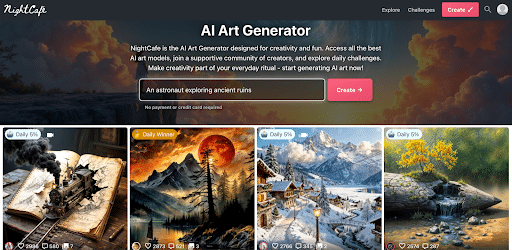
For an art-generating AI platform, try NightCafe, which enables you to create everything from artistic images and NFTs to videos, without the need for any coding skills. It also uses multiple tools, such as DALL-E 3 and Stable Diffusion, with a free version available.
Pros:
- A large creative community.
- Access to multiple models like Stable Diffusion and FLUX.1.
Cons:
- Pricing and credits are not quite as transparent as other platforms.
How to Use:
- Go to the NightCafe website to join the community.
- Choose a specific model, enter your prompt, and generate the desired artwork.
12. Artbreeder
What sets Artbreeder apart is its “breeding” mechanic that combines multiple images to produce a new one, whether producing a portrait, characters, landscapes, or other types of artwork.
Pros:
- Enables users to create new images using existing ones that blend certain assets.
Cons:
- Not great for text-to-image generation.
- More emphasis on experimentation.
How to Use:
- Visit the Artbreeder site and select “Collager” or another tool.
- Combine elements from two or more images and edit elements to develop the desired image.
13. Visual Electric
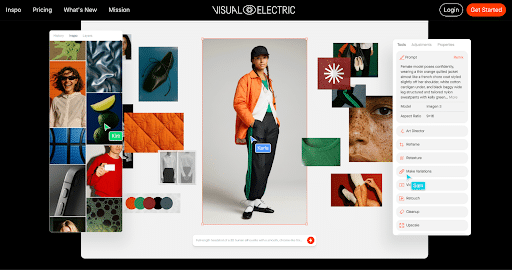
Looking for an AI image full body generator for testing clothing and other designs on models? Visual Electric can give you that ability with photorealistic images that integrate with existing design tools like Webflow and Figma.
Pros:
- A clean interface with artistic outputs.
- A combination of speed and quality.
Cons:
- Not as poplar as some of the other best AI image generators in 2025.
How to Use:
- Sign up on the Visual Electric site.
- Enter a prompt or your existing designs, trying out various styles and tools.
14. Picsart
Picsart is a cross-platform solution for design and editing, allowing you to create collages, enhancements, filters, and more for photo and video creation, with a community that encourages users to share and remix each other’s work.
Pros:
- Offers a full suite of editing tools, stickers, and text fo AI image generation.
- Free version available.
Cons:
- Free version produces images with a watermark.
How to Use:
- Access Picsart via the online editor or mobile app.
- Use a prompt to generate an image.
- Edit the image with extra elements.
15. Recraft
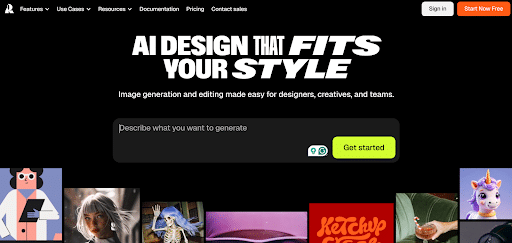
Another tool for graphic design and image generation, Recraft offers a variety of tools for creation, editing, and image vectorization. It’s best for designers and teams to use, with inpainting, outpainting, background manipulation, and other capabilities.
Pros:
- Ideal for graphic design.
- Offers features to maintain a particular style across multiple images.
- Produces top-quality vector images.
Cons:
- Is potentially more complex than novice tools.
How to Use:
- Visit Recraft.ai to sign up.
- Produce images using prompts or various features to maintain consistent designs for branded assets.
16. Let’s Enhance
This is more exclusively an AI image enhance generator that optimizes image resolution and details while eliminating noise. Let’s Enhance also uses an image generator to produce high-quality images based on edit inputs.
Pros:
- Focuses on improving existing images.
- Helps improve details and resolution for images to make them look their best.
Cons:
- Only works with the images you use as input.
How to Use:
- Upload your image to the Let’s Enhance website.
- Choose from various upscale settings and enable AI to process the image.
17. Diffus
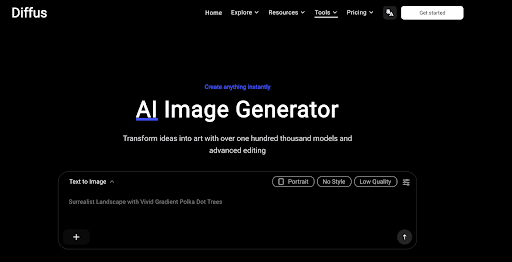
Diffus is a cloud-based image generator that, as the name suggests, uses diffusion models to develop high-quality images using text prompts. It offers more advanced control as a professional-grade solution.
Pros:
- Advanced platform with a library of more than 70,000 AI models.
- Offers more overall flexibility and control than other platforms.
Cons:
- The number of options can be overwhelming for beginners.
How to Use:
- Create a Diffus account on the website.
- Browse the comprehensive model library.
- Use precise controls to develop precise, high-quality images.
18. Craiyon
Formerly known as DALL-E mini, Craiyon is one of the few entirely free-to-use platforms available. However, it does offer paid plans to optimize image generation from text description.
Pros:
- Free and unlimited use.
- Ease of use for novice users.
Cons:
- Free availability comes at the cost of lower image quality, with some potential distortion.
How to Use:
- Visit the Craiyon website.
- Simply enter your prompt and click on Draw.
19. Shutterstock AI Image Generator
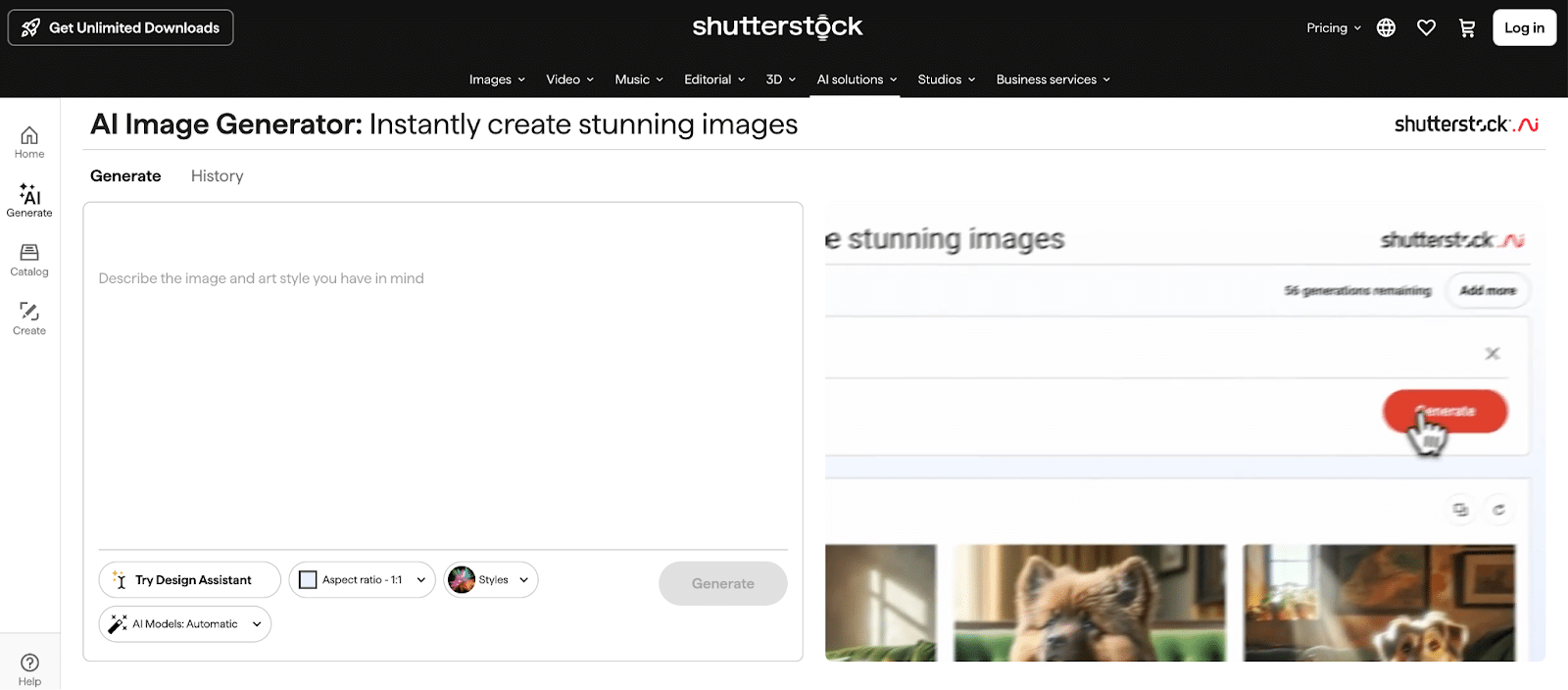
The Shutterstock AI tool can convert text to images, with direct integration into the Shutterstock platform and training via the site’s extensive library. The result is the production of images ready for commercial use with compensation for content creators, making one of the more openly ethical platforms.
Pros:
- Commercially safe images using Shutterstock’s licensed images.
- Integration with a vast library of images.
Cons:
- Entirely subscription-based.
- Quality might be less artistic that platforms like Midjourney.
How to Use:
- Log in to Shutterstock and access the AI image generation tool.
- Generate images using detailed text prompts, pulling from content on the Shutterstock site.
20. Deep Dream Generator
A web-based platform that specializes in surreal imagery and video, Deep Dream Generator enables users to enter prompts to develop imaginative artworks that have a more unique look.
Pros:
- Offers more dreamlike imagery than other platforms.
- Both free and premium versions are available.
Cons:
- Results are more abstract and not ideal if you’re going for realism.
How to Use:
- Visit the Deep Dream Generator website.
- Upload either a text prompt or an existing image.
- Choose a desired style to apply to end result.
Will AI Replace Creative Designers?
The rise of AI-generated images has fueled speculation about the future role of human designers. However, it’s crucial to recognize that AI is not a substitute for the creative minds that drive innovation; rather, it is a powerful tool that should be used in tandem with human ingenuity.
While AI can produce eye-catching visuals, it lacks the nuanced understanding and contextual awareness that human designers bring to the table.
Recent studies back this suggestion, with Stanford finding that while production in markets with AI images generated 78% more images per month than those without this technology, the quality of artists’ work increased among non-AI images as competition increased. Studies also show how automation with AI could help rather than hurt or replace AI artists.
The synergy between AI and human creativity holds immense potential. Instead of viewing AI as a threat, creative professionals can leverage these tools to streamline their workflow, allowing more time for ideation and strategic thinking.
AI can be a valuable assistant, handling repetitive tasks and generating initial concepts that designers can then enhance. It’s a collaboration that enhances efficiency and opens up new possibilities rather than a replacement for the human touch.
Ultimately, artists should treat AI as an augmentation of the creative process, not a replacement for it. It can make the more menial aspects of creation simpler without taking creation away, making it easier for artists to realize their original vision.
Best Practices for Using AI Image Generators
Even the best image generating AI tool requires some skill to get the most from it. Here are some guidelines to help you fully implement various AI image generators.
Engineer Your Prompts
Effectively prompting AI platforms like AI Mode and other tools takes some skill on its own, as you need to artfully and precisely word your prompts to get the desired results from your search.
To masterfully prompt AI, be sure to give plenty of context to the AI image generator, helping it understand what you want to achieve with your prompt, your goals, and any constraints you have to restrict the results.
In short, be as specific as possible in your prompt to avoid any miscommunication.
In some cases, you might also include example images of what you want in terms of subject matter, tone, or style.
Perform Iterative Refinement of Prompts
You may also opt to test and gradually improve the prompts you use based on the AI’s output.
You could start with a basic prompt and see what comes up, determining how closely the results match what you want. Based on these results, you can continue to refine your prompts until the results more closely resemble your vision.
Carefully Select the Best AI Image Generators
It’s equally important to select the right tool for the job when developing AI-generated images of any kind.
In some cases, you might go with a popular AI image generator that meets your project needs, while in others, you might discover that a little-known platform produces the coolest AI-generated images for your project.
Consider your project requirements, budgetary restrictions, and what you want to achieve with your image generator.
Future Trends in AI Image Generation
The future of AI looks bright for the technological landscape and the professionals who use this tech.
Some advancements to watch for include:
- Improved creative control and fidelity, allowing you to create hyper-realistic images while controlling specific elements
- Multimodal capabilities will help AI image generators integrate with other data types, such as tools that can take audio and video input and convert it into images, or the ability to incorporate imagery into a virtual reality (VR) experience
- Personalization and efficiency will also improve with time, giving people the ability to adapt models to their unique style and language for streamlined production, coupled with overall faster image generation
- At the same time, you will need to be even more mindful of the ethical concerns regarding AI usage, avoiding misuse through deepfakes or other attempts at misleading the public with AI imagery while maintaining transparency of usage
Achieve Your Business’s Full Potential With Ignite Visibility
Ignite Visibility serves as a vital ally in achieving your digital marketing goals.
While AI tools can undoubtedly boost your online presence, Ignite Visibility emphasizes a harmonious collaboration between cutting-edge technology and the irreplaceable human touch. It’s not about replacing your expertise but improving it.
Our expert creative strategists are well-versed and have experience using some of the newest AI image generators. With the power of these new tools, they are able to take your creative strategy to new heights, developing unique, eye-catching images.
In this new cross-section of AI and creative development, Ignite Visibility’s experts are ready to help you out. Explore our creative services now.

