

Facebook is a worldwide presence. If you’re using it for marketing purposes but only limiting yourself to one country or region, you might be doing your brand a disservice.
Maybe it’s time to go global? New languages, countries, how exciting is that?!
Of course, when you reach across national borders (or language borders) to find new customers, you also open an additional set of challenges. It’s not easy to go international.
That’s why it’s important to understand what you’re getting into before you decide to become a global marketer.
Here’s what you need to know about using Facebook Global Pages and going international on Facebook.
Watch a Video On Facebook Marketing or Learn More About International Facebook (Facebook Global Pages) Below
John Lincoln, Ignite Visibility CEO, covers Facebook.
What Will Facebook Users in Different Countries See?
Before you even decide whether or not to set up multiple Facebook pages, you’re going to want to know what those pages look like to people in different regions. Fortunately, there are plenty of examples of region-specific Facebook pages online already.
Just check out the Facebook page of almost any well-known global brand. Pick Coca-Cola, for example.
When you visit the page, you won’t see anything out of the ordinary. It will be a standard Facebook page for the brand.
To see one of the regional Facebook pages, hover over the “More” drop-down towards the top. Click on the “Switch Region” option.
A pop-up will appear that gives you the opportunity to switch to a Facebook page unique to another country. The currently selected option is probably “Default Page.”
Click on that drop-down and select a country. “Brazil” is an easy option since it’s towards the top of the alphabetical list.
Now, click the “Save Preference” button and the Brazilian version of the Facebook page will appear.
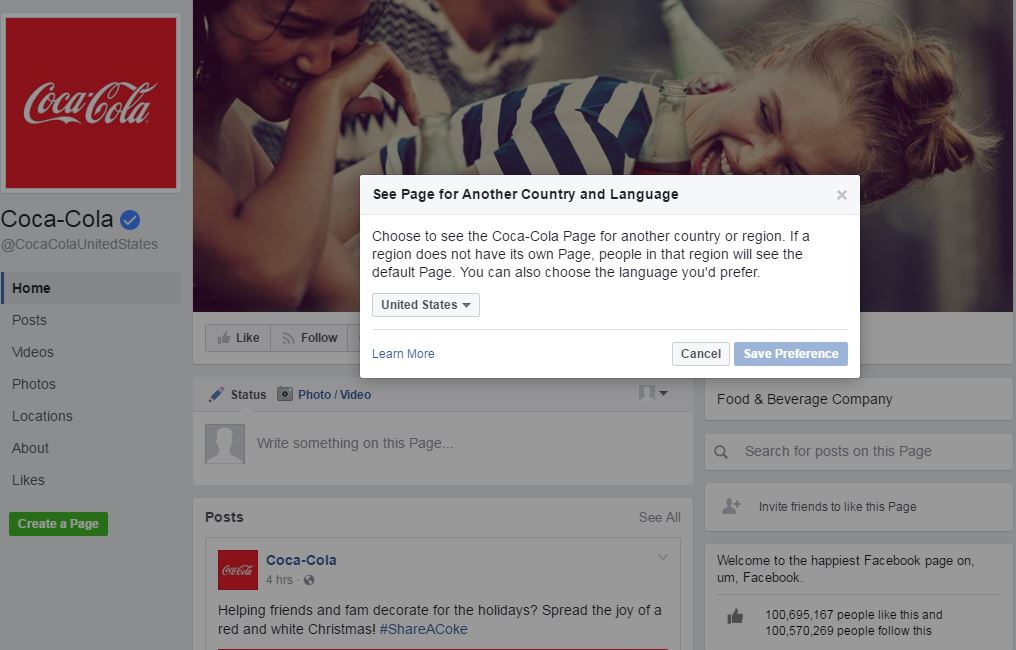
That’s exactly the kind of thing that you can do with your brand if you opt for multiple, country-specific Facebook pages.
But wait. There’s more.
Take a look at the URL of the page you just selected. You’ll notice that it’s different from the URL of the original Facebook page that you tried to visit.
In the case of Coca Cola, the original URL was: https://www.facebook.com/Coca-Cola/
But the new URL (for Brazil) is: https://www.facebook.com/cocacolabr/
Now, try this experiment. Try to go to the first URL (https://www.facebook.com/Coca-Cola/). Note what happens.
It redirects you to the Brazil Coca Cola page. That’s because you set that as your preferred locale for that brand.
So, here’s what will happen if you set up region-specific Facebook pages: users who go to your “main” page will be redirected to their region-specific page. Isn’t that cool?
That means if somebody visits your website and clicks on the Facebook icon to view your page, that person will see the Facebook page relevant to his or her region. That’s exactly what you want.
Should You, or Shouldn’t You?
Another question you’re going to want to yourself ask is: “Should I even go global with my Facebook presence?”
The answer: it depends.
If your product or service is consistent across the globe, then you might just get away with only one Facebook page. You should, however, use Facebook’s content targeting feature to show posts in a specific language only to people who speak that language. More on this later.
On the other hand, if you have a product or service that varies slightly from region to region, you might need separate Facebook pages. For example, if you run a high-tech company with products that vary slightly in different markets, you’ll want different pages specific to those markets.
If You Have Multiple Locations…
If you’re running a business with multiple locations, then a separate Facebook page for each location is often a good idea. That’s especially true if each location serves customers in that area as opposed to handling behind-the-scenes administrative functions.
A long time ago, Facebook allowed business owners to manage multiple locations from one central spot. If you have stores scattered all over the place, you should set up a page for each one of them.
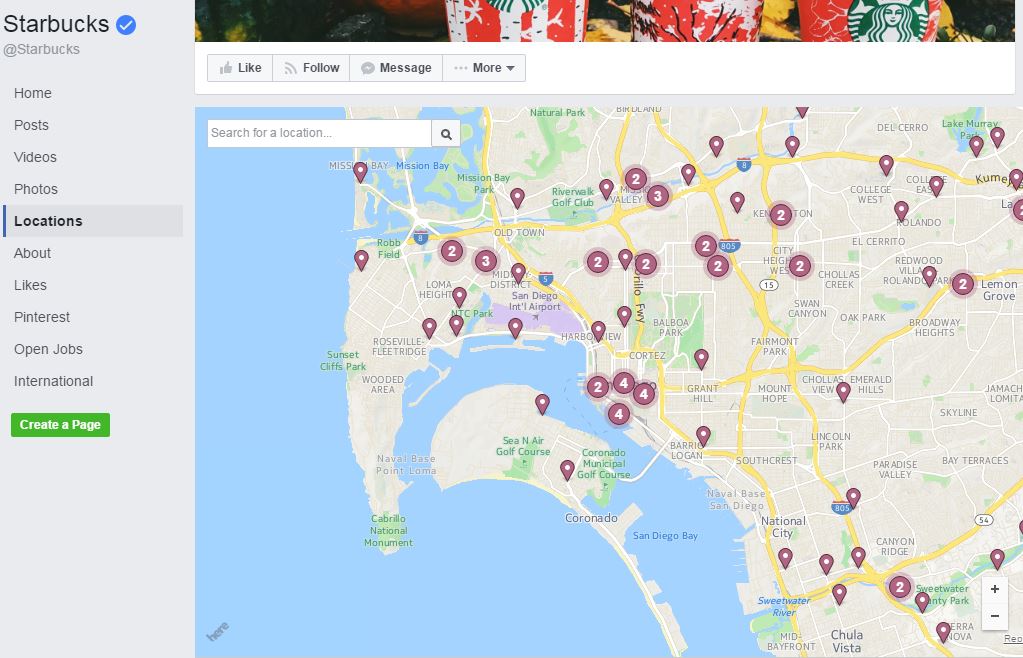
Facebook Locations also makes it easy for people who search for your brand to find it on Facebook. That’s especially important to people performing searches using a mobile device, as geo-targeting will point them to the closest location.
Before you can move forward with multiple locations, though, you’ll have to request access from Facebook. Once you’re approved, you just visit your main Facebook page as an administrator and click on Locations to set everything up.
Each location-specific page can have its own unique cover photo and profile photo. You can, of course, opt to keep the photos the same across all pages.
Keep in mind, though, that the more pages you create the more work you’ll have to put into your social media marketing (SMM) efforts. When you post something on your main Facebook page, for example, it won’t automatically propagate out to all your location pages.
Going Global
Even if you don’t have stores all over the place, you might decide it’s a good idea to take your brand to a global level on Facebook. That way, you can reach people in their own language with culture-specific marketing messages.
Keep in mind the structure that Facebook recognizes for brands that decide to create region-specific pages:
Root Page:
This is an invisible page that overlooks the whole structure. It gives insight for all your Global Pages. Root page admins can add or remove countries and languages.
Default Page:
This is the page where people will be directed if they don’t meet any of the criteria specified in the Market Pages. For example, if someone is in Chile and you have no region-specific Facebook page for Chile, then that user will be directed to this page. This was the “main” Coca Cola page in the example above.
Market Pages:
These are region-specific pages. The Coca-Cola page for Brazil that you looked at earlier is a Market Page.
Once you understand the structure, it’s time to create some Market Pages. You’re qualified to do that if you’re an active advertiser on Facebook.
Creating Market Pages: Step By Step
1. Start by creating a page that acts as your global presence. That will be the Default Page described in the structure above.
If you already have a “main” Facebook page, you can probably get away with using that one.
2. Once you’ve got your Default Page up and running, you should create a couple of pages for local markets. Facebook recommends that you create just 1 or 2 pages at first, so you get the hang of it.
3. To create a Market Page, go to your Default Page as an administrator and click on “Settings” at the top. In the screen that appears, click on the “Global Pages” tab.
4. Once you’re in that screen, add your new Market Page. Be sure to set the appropriate targeting preferences, including which countries and languages you want mapped to that page.
5. Finally, click “Save Changes” to save your new page.
Keep in mind that admins of Market Pages can edit the targeting settings at any time. Also, admins of the Root Page can edit the targeting settings for any Market Pages at any time.
Using Custom Targeting
If you’ve decided that you don’t need multiple Facebook pages but you’d still like to reach an international audience with custom targeting to people in different regions, then you should use Audience Optimization.
You can use Audience Optimization in a couple of ways: by adding tags that are relevant to a preferred audience and/or by using audience restrictions. In your case, you’ll use audience restrictions.
You’ll do that by displaying your content to people who only live in a specific country or speak a specific language. That way, people who don’t live in that country or speak that language won’t see a post that’s irrelevant to them.
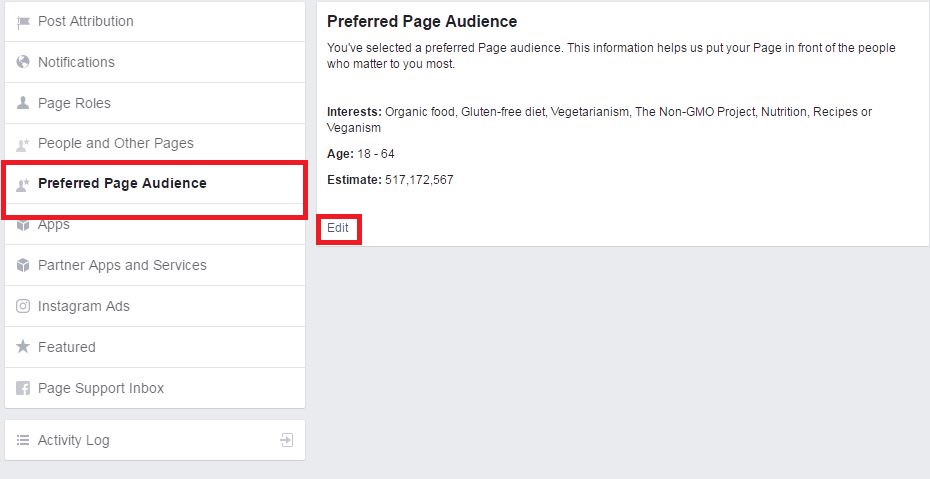
You have Audience Optimization available to you by default if your page has more than 5,000 likes. If you have fewer than 5,000 likes, you’ll have to enable your page to use the feature. Do that by following the steps below.
Start by going to your page as an administrator. Then, click on “Settings” towards the top of the page.
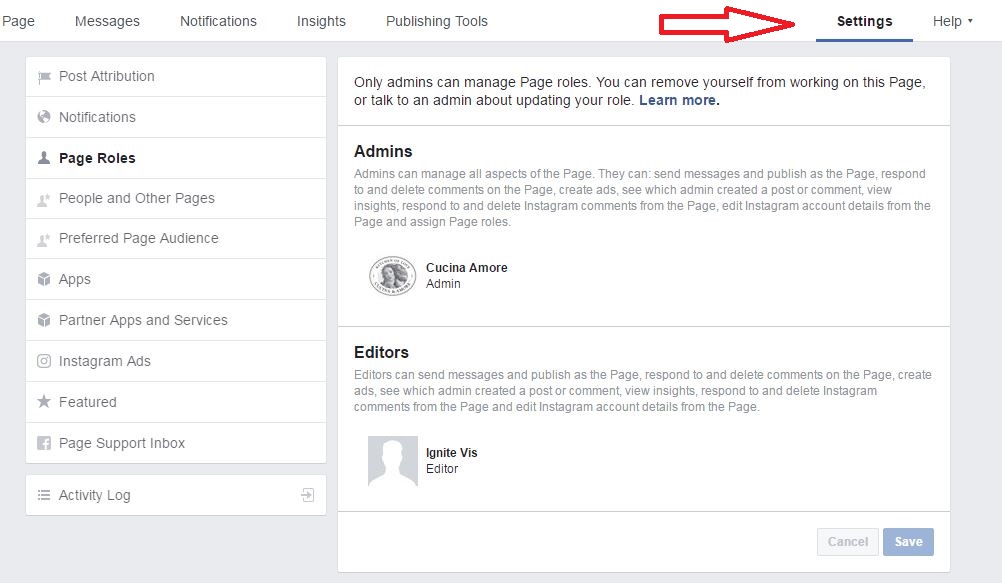
In the new page that appears, click on “General.” Then, click “Edit” next to “Audience Optimization for Posts” in the middle of the page on the right-hand side.
In the box that appears, check off the “Allow people who manage this page to specify a preferred audience or set restrictions for posts” box. Click “Save Changes.”
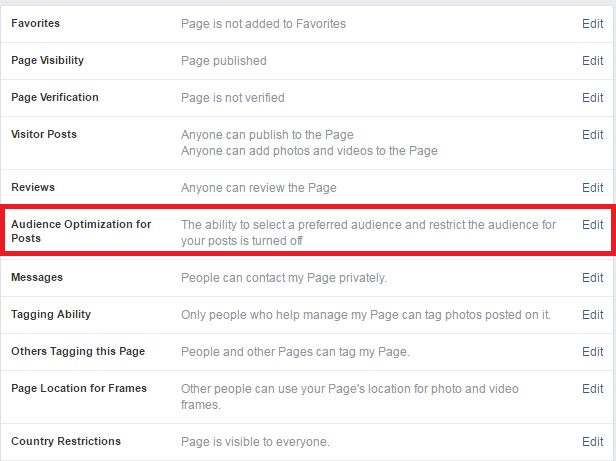
Once you’re done with that, you’re all set for custom targeting.
To target a post to a specific audience, use the targeting icon in your page post composer to add restrictions.
Click on the icon and you’ll see a box with two tabs: Preferred Audience and Audience Restrictions. Click on Audience Restrictions and you’ll see that you can target people by age and gender in addition to location and language.
Next the Locations field, you’ll see a drop-down that’s probably defaulted to “Include.” Just leave that alone and in the field, start typing the name of a country (e.g., “Mexico”). Facebook will likely autocomplete the country name for you. Select the autocompleted name and you’ll limit your reach to fans in that country.
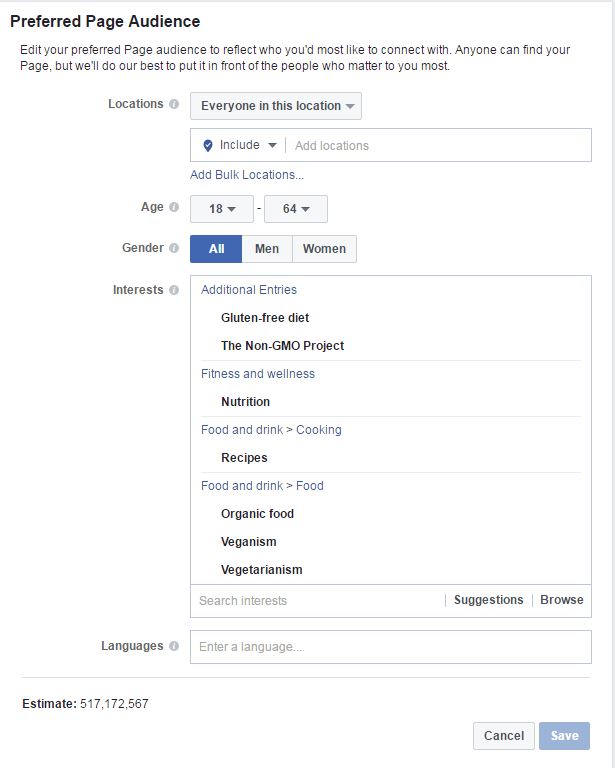
Similarly, you can start typing a language (e.g., “US-English”) in the “Languages” field. Again, Facebook will autocomplete the language for you and you can select it.
Once you’re done with your targeting options, click the blue “Save” button. Now, whatever you put into that post will only be seen by fans who live in the country you specified and/or speak the language you selected.
Keep in mind that, as of now, Audience Optimization is available only for English pages.
Picking the Right Facebook Global Strategy is Key
It’s a global economy. Take advantage of it by reaching people around the world with Facebook.
You can do that in one of two ways. Use Global Pages that are region-specific versions of your Facebook presence or use custom targeting with Audience Optimization.
Which option you choose depends on the extent of your worldwide reach and how much effort you want to put into SMM. In either case, though, you’ll help your brand reach new potential by reaching an international audience.
We have helped hundreds of companies with local Facebook pages, international Facebook pages and pages in different languages.
Making the right decision all depends on the business goals, resources and overall digital strategy.
